PLANET 802.11n Wireless Presentation Gateway
WPG-210N
Appendix B: FAQ
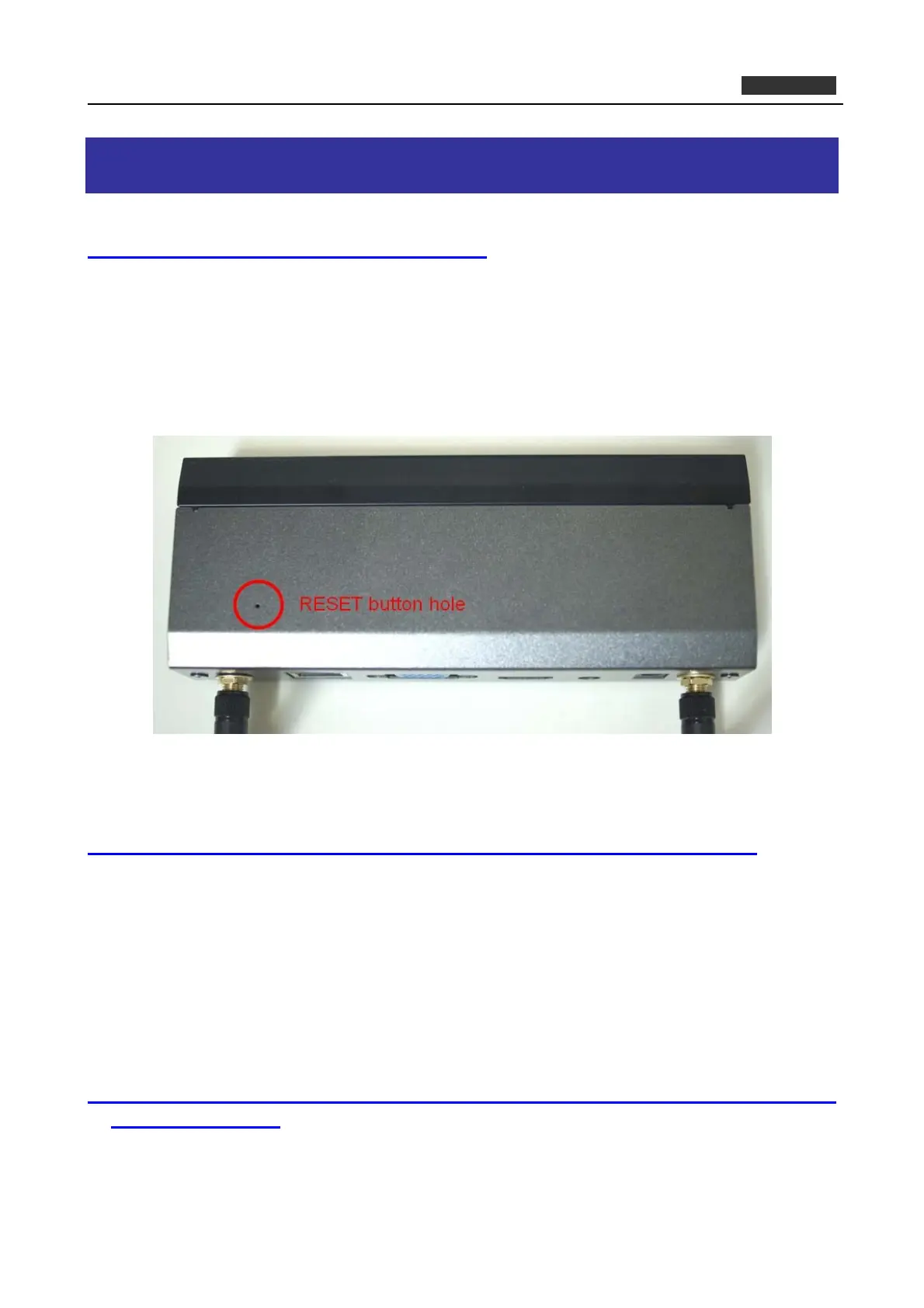
FAQ1 : How to reset the WPG-210N to factory default?
[ANSWERS]
1) Power off the WPG-210N.
2) Press and hold the button with paper clip, and then plug in the DC jack of the AC adapter to power on
WPG-210N. After 10~15 seconds, you can release the button.
3) Now, you should be able to login the WPG-210N by default setting. (Default username and password are
both “admin”.)
FAQ 2: How to use WPG-210N to output the screen to the projector or LCD by HDMI cable?
[ANSWERS]
You can switch the output interface through the web UI. The default setting is VGA.
However, if you want to use HDMI interface directly without switching:
(1) Plug the HDMI connector and turn on the projector or LCD first.
(2) Then just power on the WPG-210N to achieve it.
FAQ 3: With the Windows XP client, how to output the audio via the audio jack of the WPG-210N when
the video is projected?
[ANSWERS]
(1) First of all, please install “VAC.exe” (Virtual Audio Control) first on your computer. The software can be
59



 To Next Page