Network Settings
5-17
5
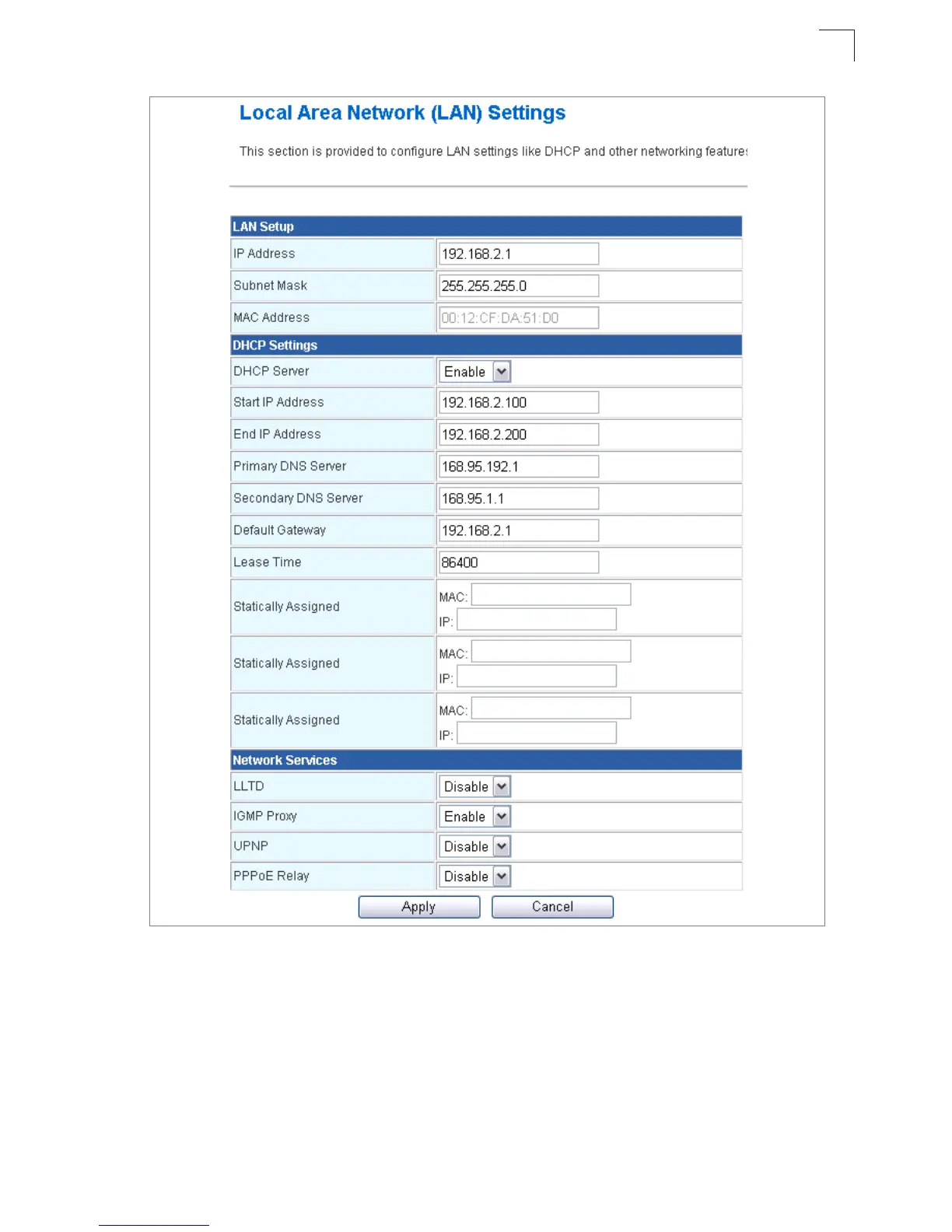
Figure 5-10. LAN Settings (Gateway Mode)
• LAN IP Address – Valid IP addresses consist of four decimal numbers, 0 to 255,
separated by periods. The default setting is 192.168.2.1.
• Subnet Mask – Indicate the local subnet mask. (Default: 255.255.255.0.)
• MAC Address – The shared physical layer address for the Multimedia Router’s LAN
port.
• DHCP Server – Select this option to obtain the IP settings for the access point from a
DHCP (Dynamic Host Configuration Protocol) server. The IP address, subnet mask,


 To Next Page