System Configuration
5-44
5
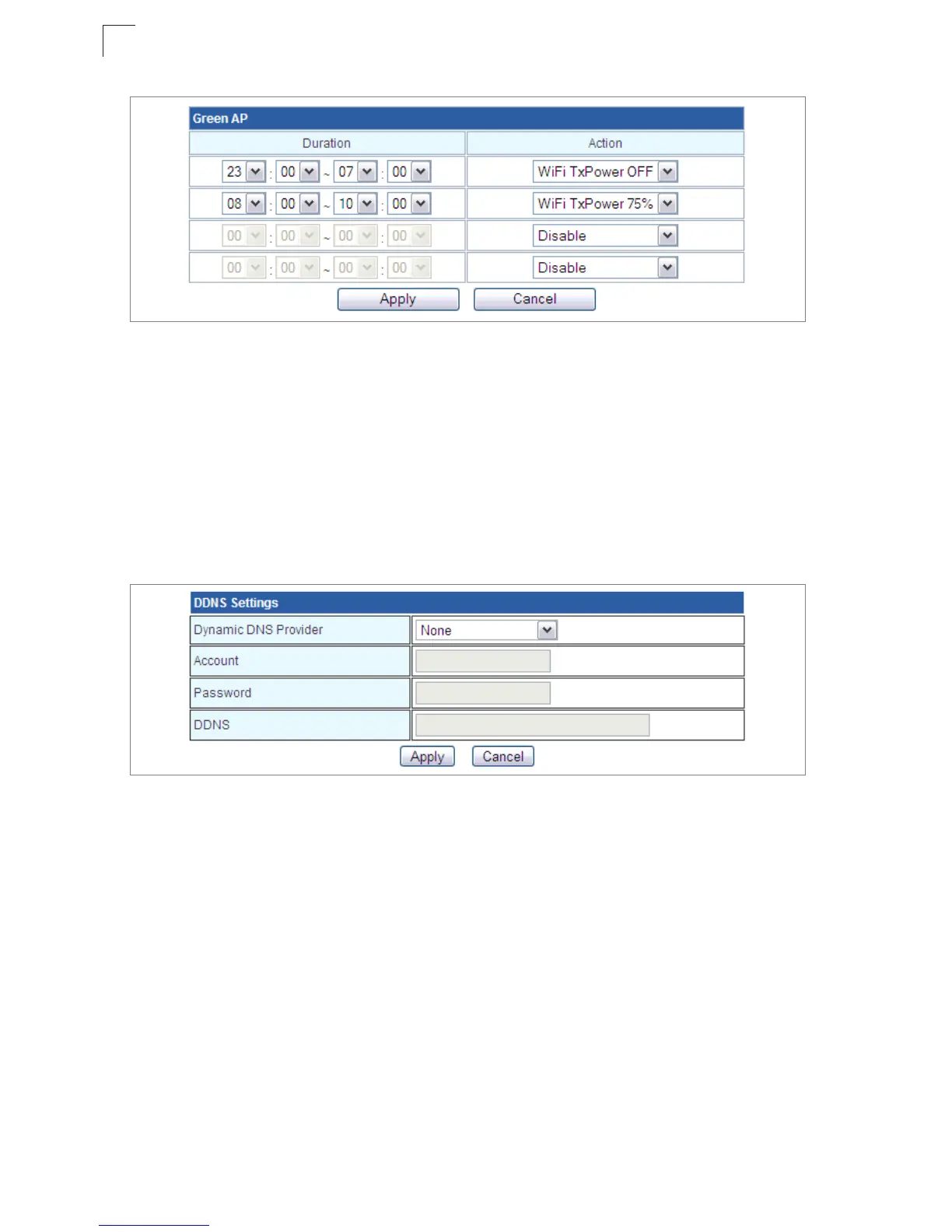
Figure 5-32. Green AP Settings
DDNS Settings
Dynamic DNS (DDNS) provides users on the Internet with a method to tie a specific
domain name to the unit’s dynamically assigned IP address. DDNS allows your domain
name to follow your IP address automatically by changing your DNS records when your
IP address changes.
The Multimedia Router provides access to three DDNS service providers, DynDns.org,
Non-IP.com and ZoneEdit.com. To set up an DDNS account, visit the websites of these
service providers at www.dyndns.org, www.non-ip.com, or www.zoneedit.com.
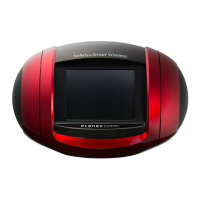
Figure 5-33. DDNS Setting (Gateway Mode)
• Dynamic DNS Provider – Specifies the DDNS service provider, DynDns.org,
Freedns.afraid.org, ZoneEdit.com or Non-IP.com. (Default: DynDns.org)
• DDNS Account – Specifies your username for the DDNS service.
• DDNS Password – Specifies your password for the DDNS service.
• Apply – Saves and sends the enabled DDNS configuration to the DDNS server.
• Cancel – Cancels the previous DDNS configuration information.
Upgrade Firmware
You can update the Multimedia Router firmware by using the Firmware Update facility.


 To Next Page