The Media Center menu
6-5
6
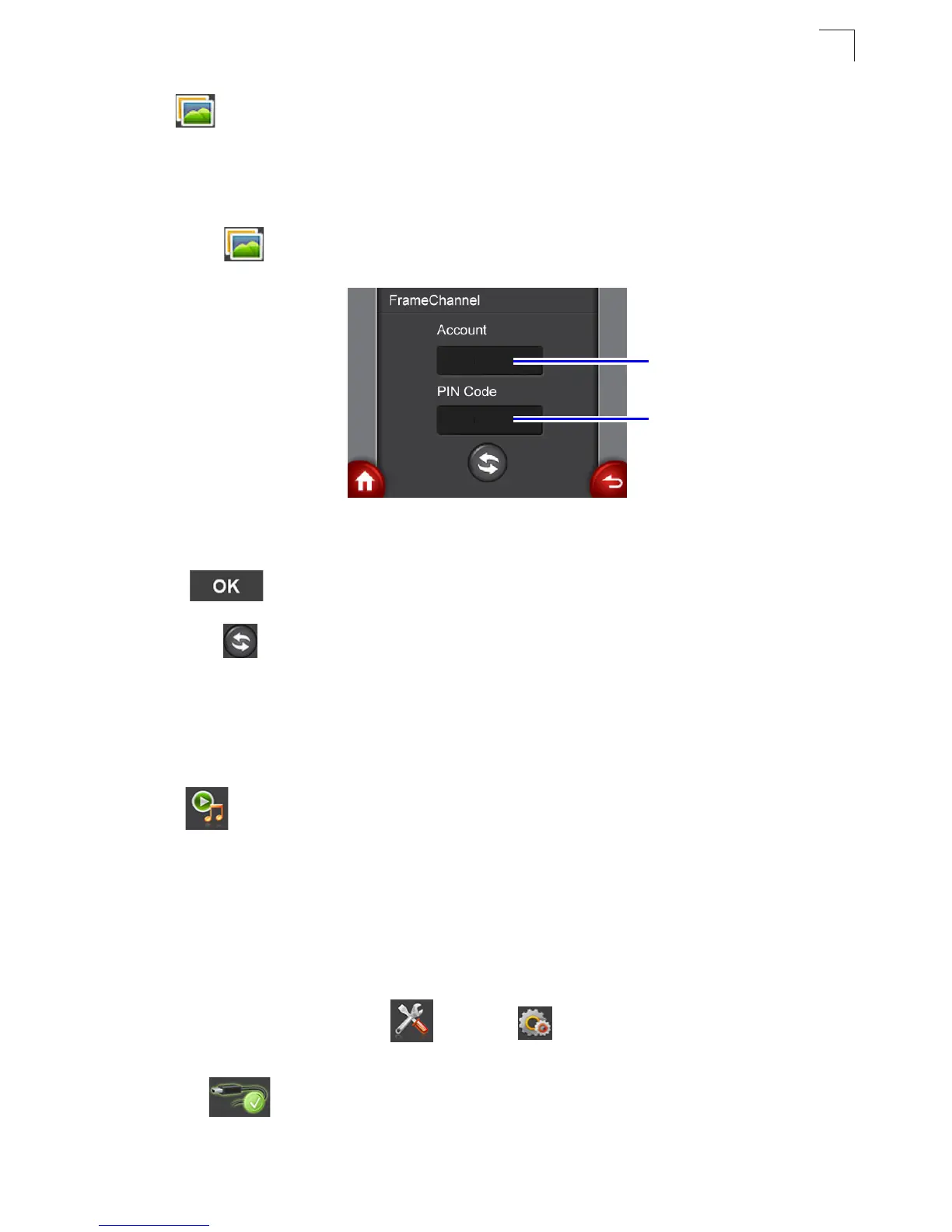
• FrameChannel
Note:
To use FrameChannel, you will need to register a FrameChannel account on the
Internet first and then upload photos to your FrameChannel Web Album. Go to
www.framechannel.com. for details on how to manage your account.
1. Tap to enter the FrameChannel setting screen.
2. Tap the Account name/PIN Code input box to enter the keypad screen. Enter
your account name/PIN Code in the text input box. When finished, tap
.to go back to the FrameChannel setting screen.
3. Tap to log on to your FrameChannel web album. After a few seconds, your
photos will be displayed in a slideshow.
The Media Center menu
Tap to open the Media Center menu, and you can select to listen to FM radio
or to play back photo/music/video files on your Multimedia Router. Before playing
back any files, you will need to copy files to the Multimedia Router’s internal memory
first.
To copy files to the Multimedia Router:
1. Take a USB cable and connect the larger end to the USB port of the
computer, and the smaller end to the USB socket on the Multimedia Router.
2. In the main menu, tap and then Connect to PC.
3. The Multimedia Router is ready for use as mass storage device when
appears on the screen. You can start copying photo/music/video
files from the computer into the unit.
Account name
input box
PIN Code input
box


 To Next Page