Firewall
5-41
5
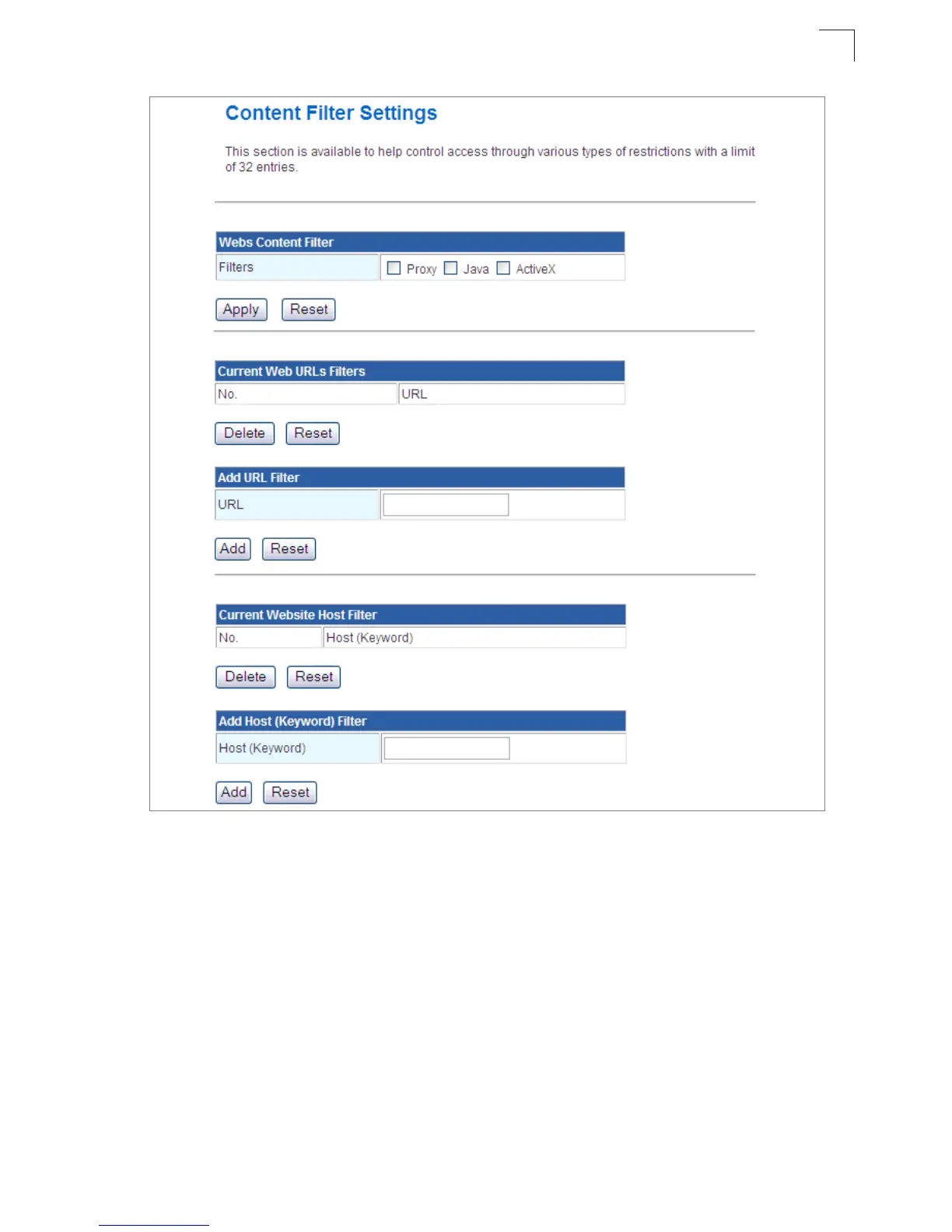
Figure 5-29. Filter Settings
Webs Content Filter Settings — The Multimedia Router blocks access to specific
traffic such as proxies, Java Applets and ActiveX. Check the box for whichever service to
be blocked then click “Apply”.
• Filter – Selects Webs content filters. (Options: Proxy/Java/ActivX)
Current Web URLs Filters — By filtering inbound Uniform Resource Locators (URLs)
the risk of compromising the network can be reduced. URLs are commonly used to point
to websites. By specifying a URL or a keyword contained in a URL traffic from that site
may be blocked.
• Current URL Filters – Displays current URL filter.
• Add URL Filter – Adds a URL filter to the settings. For example, myhost.example.com.


 To Next Page