Copyright Planika Sp. z o.o. www.planikafires.com 4
II. Operation
The product is adjusted to work with the devices that have Wi-Fi access (such as smartphone, tablet).
If you are going to control the bio fireplace by means of such device you need to get familiar with the
instructions included in Configuration of the module with Wi-Fi and Smart Home System.
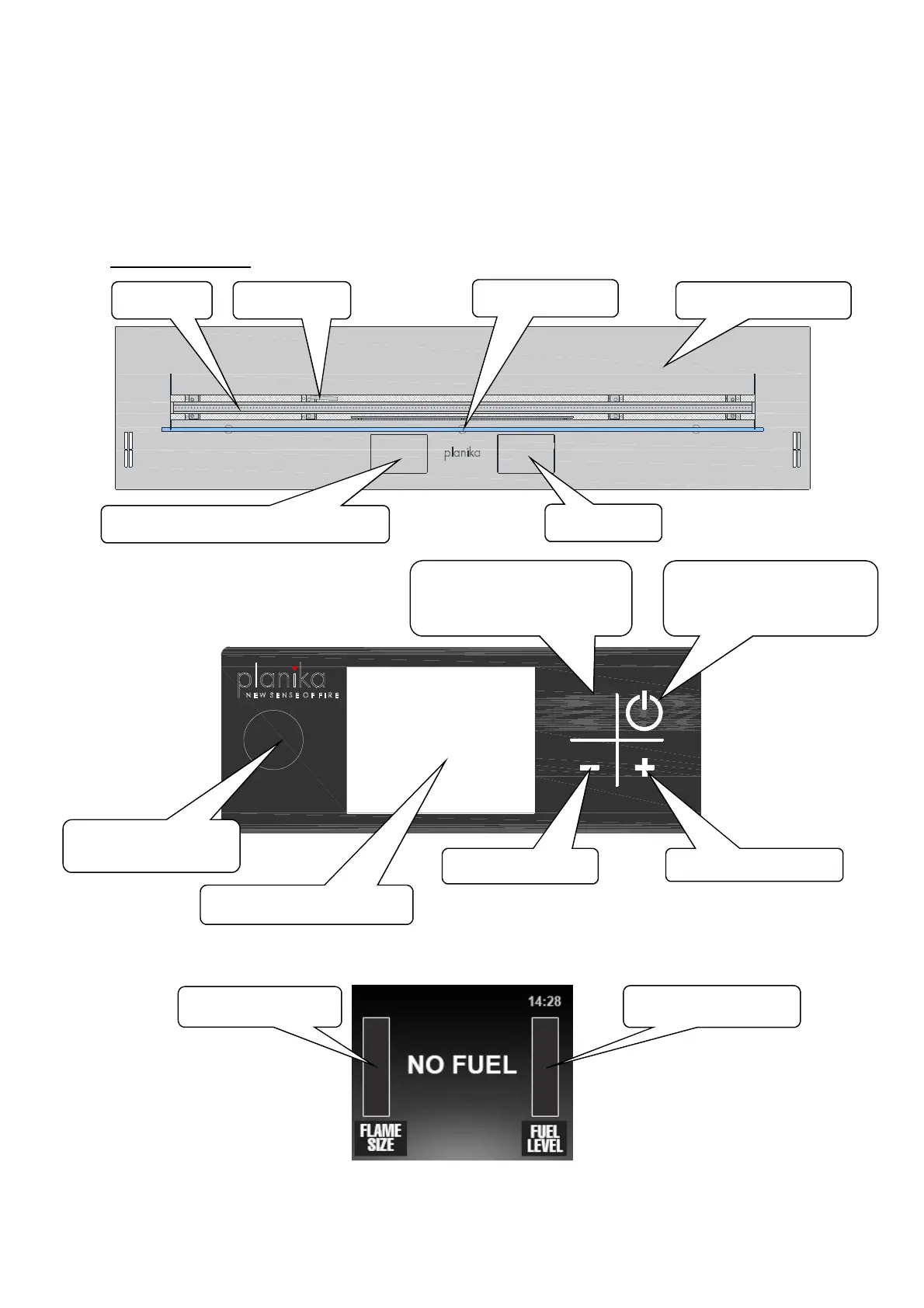
Operating elements
Control panel
Control panel display
START
STOP
PAT.
PEND.
Top of the furnance
ontrol panel display hidden under a flap
control panel display
Starts up the device from
stand-by mode or turns off
Turns on to standby or
completely turns off the
USB port hidden under
Fuel level indicator
Flame size indicator
Tempered glass


 To Next Page