Copyright Planika Sp. z o.o. www.planikafires.com 5
Initial start-up of the device
1. Pay attention if button is flashing. If so, the device was properly connected to the mains.
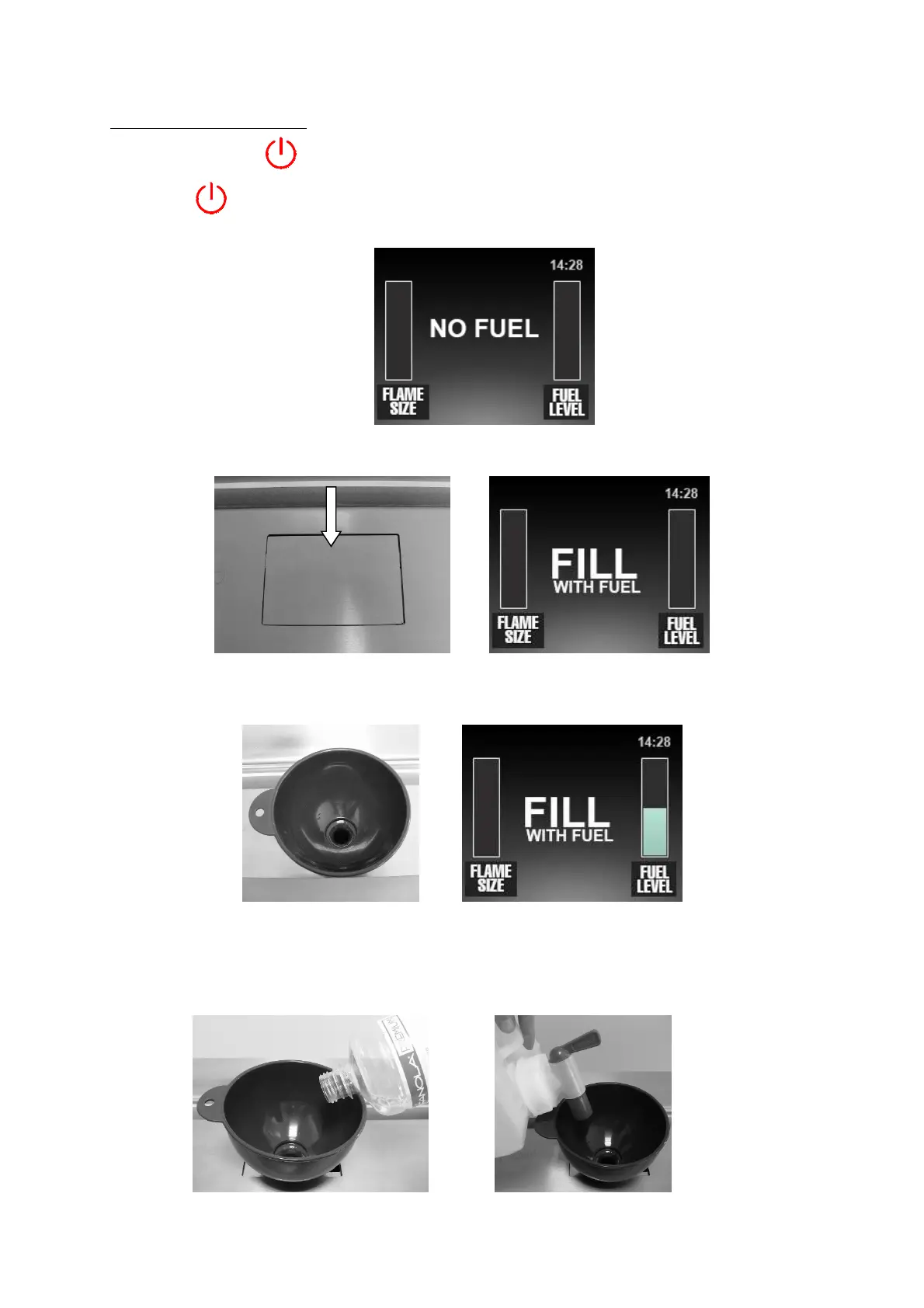
2. Press button on the control panel, welcoming display will appear and after 3 seconds you
will see the message
3. NO FUEL – lack of fuel. To fill it up:
3a. Open the Fanola filler bolt, message will change into FILL WITH FUEL
3b. Insert the funnel and fill the reservoir with fuel. Fuel level indicator on the display will
increase.
ATTENTION! Pour the fuel into the funnel following these precautions:
• During pouring be careful not to spill fuel out of the filler.
• If 5L containers are used to fill up, twist on the cap with the tap onto the container and pour the
fuel using the funnel. To fill up use exclusively accessories provided by the manufacturer.


 To Next Page