SETTING CUSTOMER PREFERENCES
40 Planmeca Proline XC X-ray unit Installation manual
5 SETTING CUSTOMER PREFERENCES
5.1 Setting the clock
If the time that appears on the main display is not correct
it must be reset.
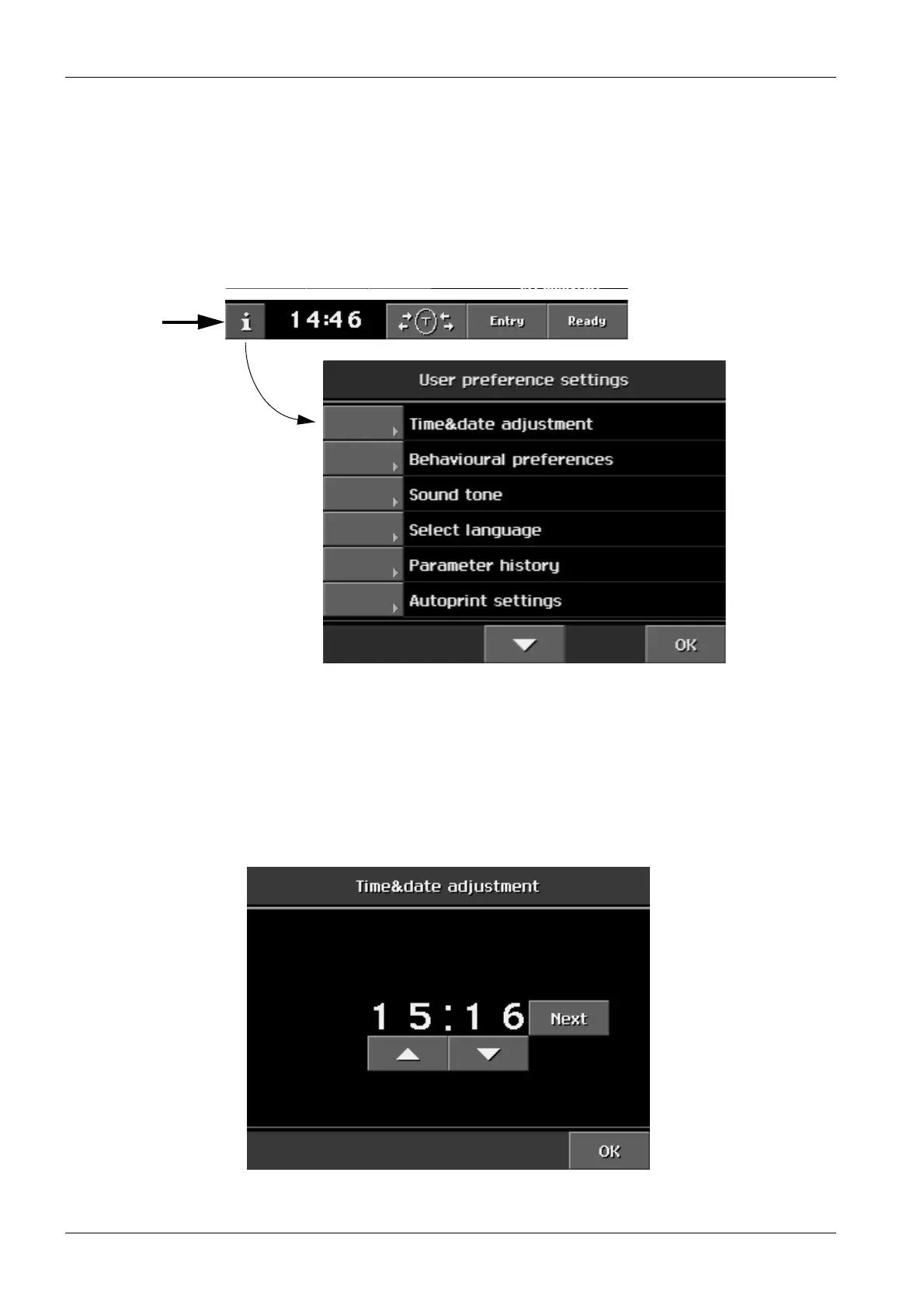
Touch the i-field on the
Main
display. The list of User set-
tings appears.
From the list of User settings select
Time&date adjust-
ment
. Press either of the arrow fields to set the correct
minutes (0 - 9). The up field will increase the number and
the down field will decrease it.
Each time you press the Next field different clock digits
will start to flash:
- firstly minutes
- secondly hours






 To Next Page