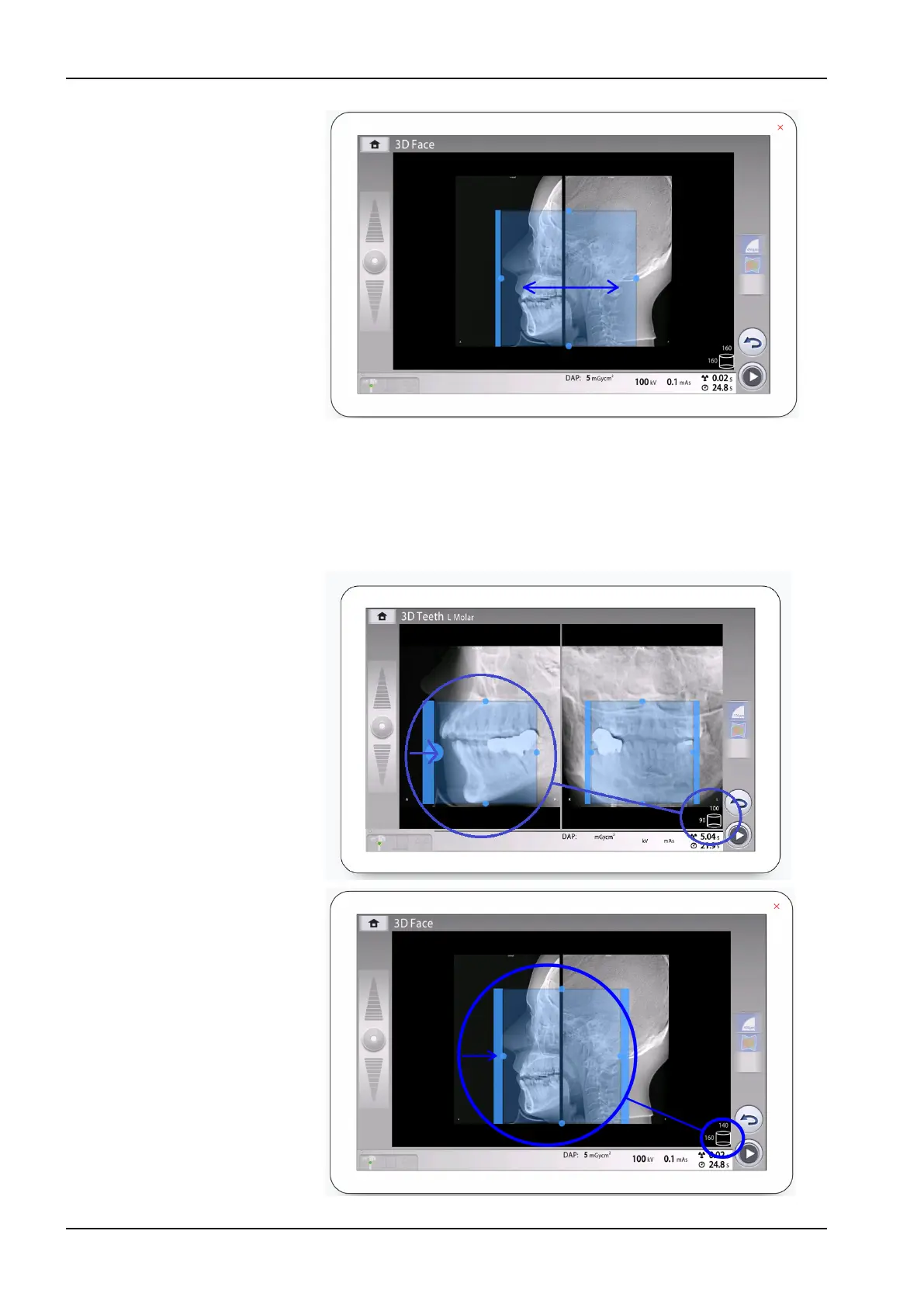
• To fine-adjust the volume size, hold your mouse cursor (virtual
control panel) or finger (touch screen) on one of the small blue
balls and move the ball to enlarge or reduce the volume size. The
ball turns red when you reach the limit value, i.e. when the volume
diameter or height cannot be further adjusted in that direction.
The selected volume size (diameter and height) is shown in the
bottom right corner of the screen.
11 3D exposure
66 Planmeca Viso User's manual












 To Next Page