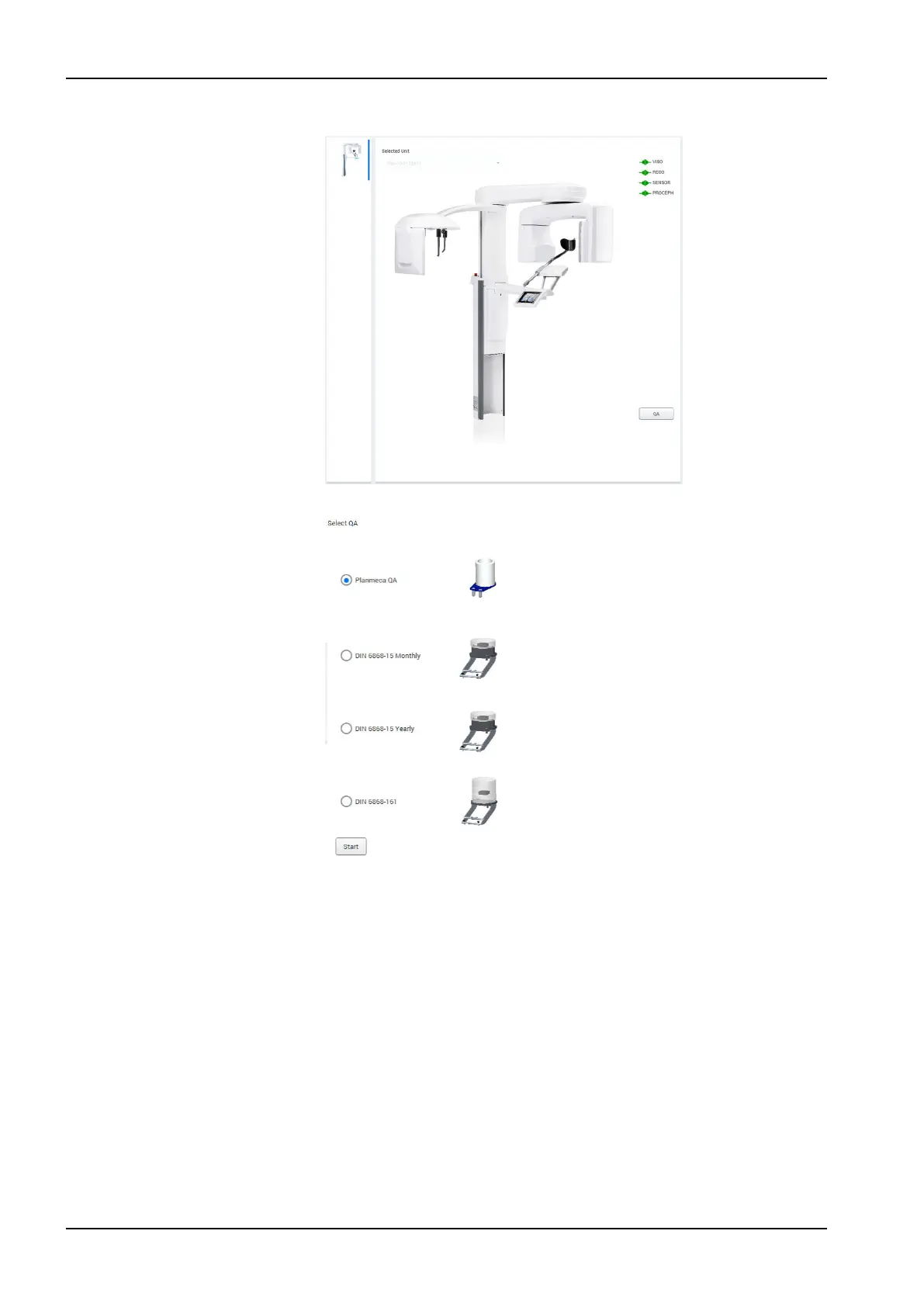
5. Click the QA button.
6. Select the test type Planmeca QA from the options.
7. Click the Start button to continue.
Planmeca QA tests consists of the following test:
• QA 3D - C-Arm Center
• QA 3D - Middle Arm Center
• QA 3D - Middle Arm Offset
8. Select the QA 3D - C-Arm Center from the calibration task list (if not yet
selected) and click the Start button.
12 3D quality control
78 Planmeca Viso User's manual












 To Next Page