PlexTools® Installation and Operation Manual 23
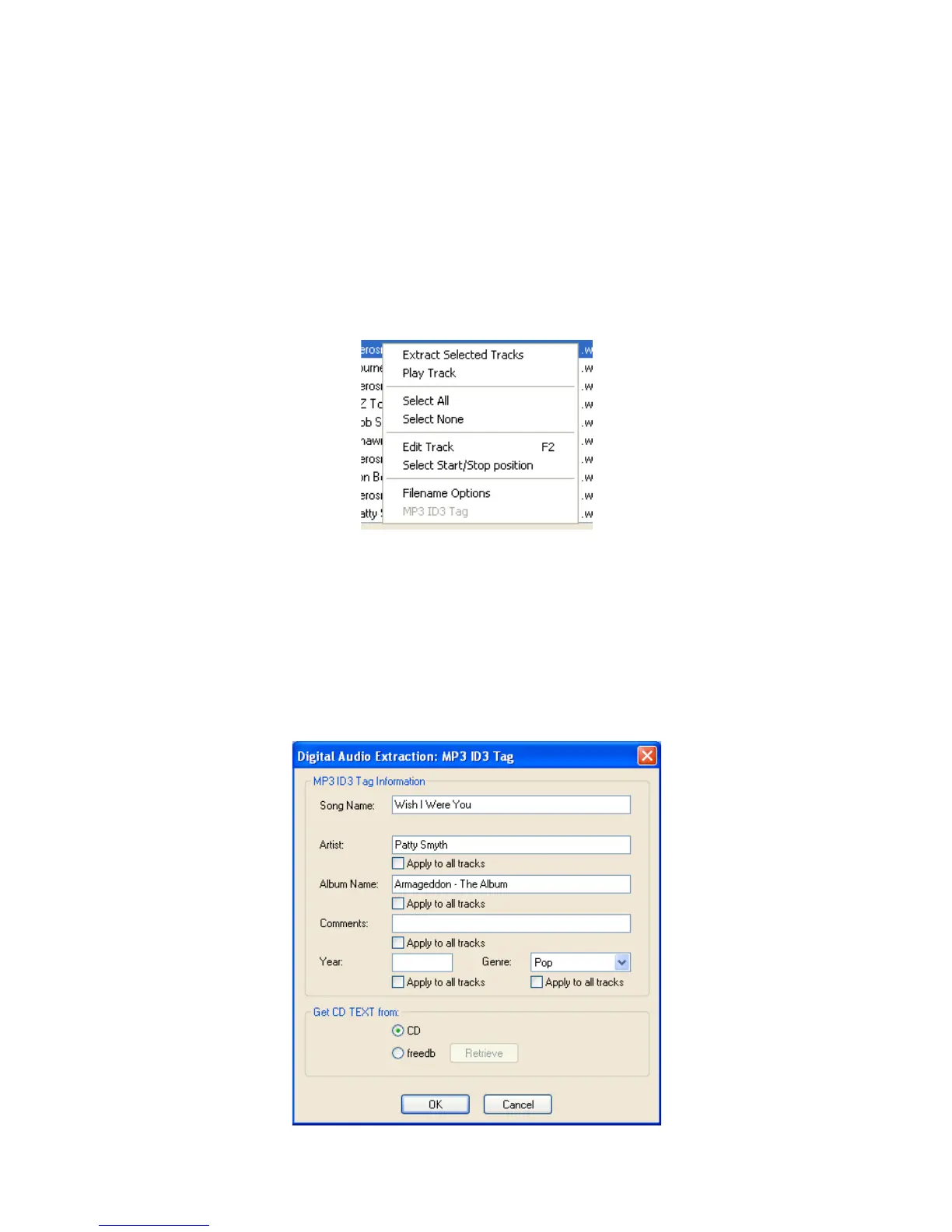
Right-clicking on a track will show the following options:
• Extract Selected Tracks: this option will extract all the selected tracks.
• Play track: plays the currently selected track (digitally).
• Select all
• Select none
• Edit Track: allows the name of the track to be altered.
• Select Start/Stop position: Enter the position where the extraction of the selected
track should start and stop.
• Filename options: allows the filename options to be changed (see also: 4.6
Changing advanced settings.……)
When extracting to the MP3 / Monkey’s Audio / Ogg Vorbis format the following option
will also be available:
• MP3 ID3v1 / Monkey’s Audio / Ogg Vorbis Tag: this option allows you to change
the song name, artist and album name.
Comments: year and genre of a song can be added / changed here.



 To Next Page