PlexTools® Installation and Operation Manual 43
4.12 Changing advanced options for CD Copy.
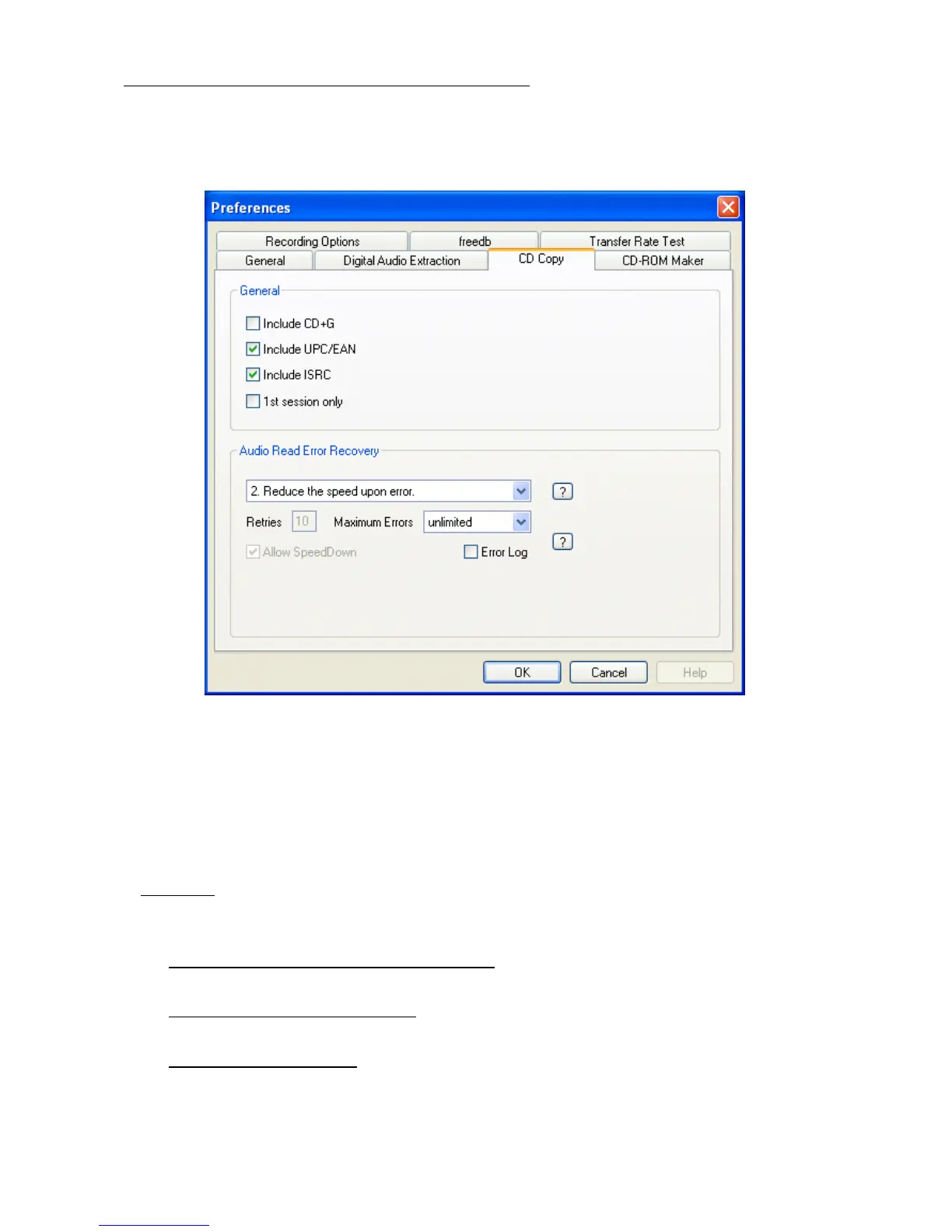
To change the settings for CD Copy, select 'options' in the toolbar, select 'Prefer-
ences' and go to the 'CD Copy' tab.
• Include CD+G: By selecting this option PlexTools® will copy CD+G information if
available.
• Include UPC/EAN and ISRC: By selecting these options PlexTools® will also copy
this information if available.
• 1st session only: when selected, only the first session will be copied.
Warning: This will create a disc that may not be an exact copy of the source disc.
• Audio Read Error Recovery:
Report Errors only (no recovery action): This strategy can be used when the
source disc is error-free or error correction is not necessary.
Reduce the speed upon error:
When Uncorrectable Errors are found, the dam-
aged area will be read at a lower speed in order to find an error-free reading.
Read again upon error: When Uncorrectable Errors are found, the damaged area
will be read again for a number of times (Retries) at the selected speed in order
to find an error-free reading.Note: the number of Retries is set to 5 and cannot be
changed.



 To Next Page