PlexTools® Installation and Operation Manual 8
4.2 Changing drive settings.
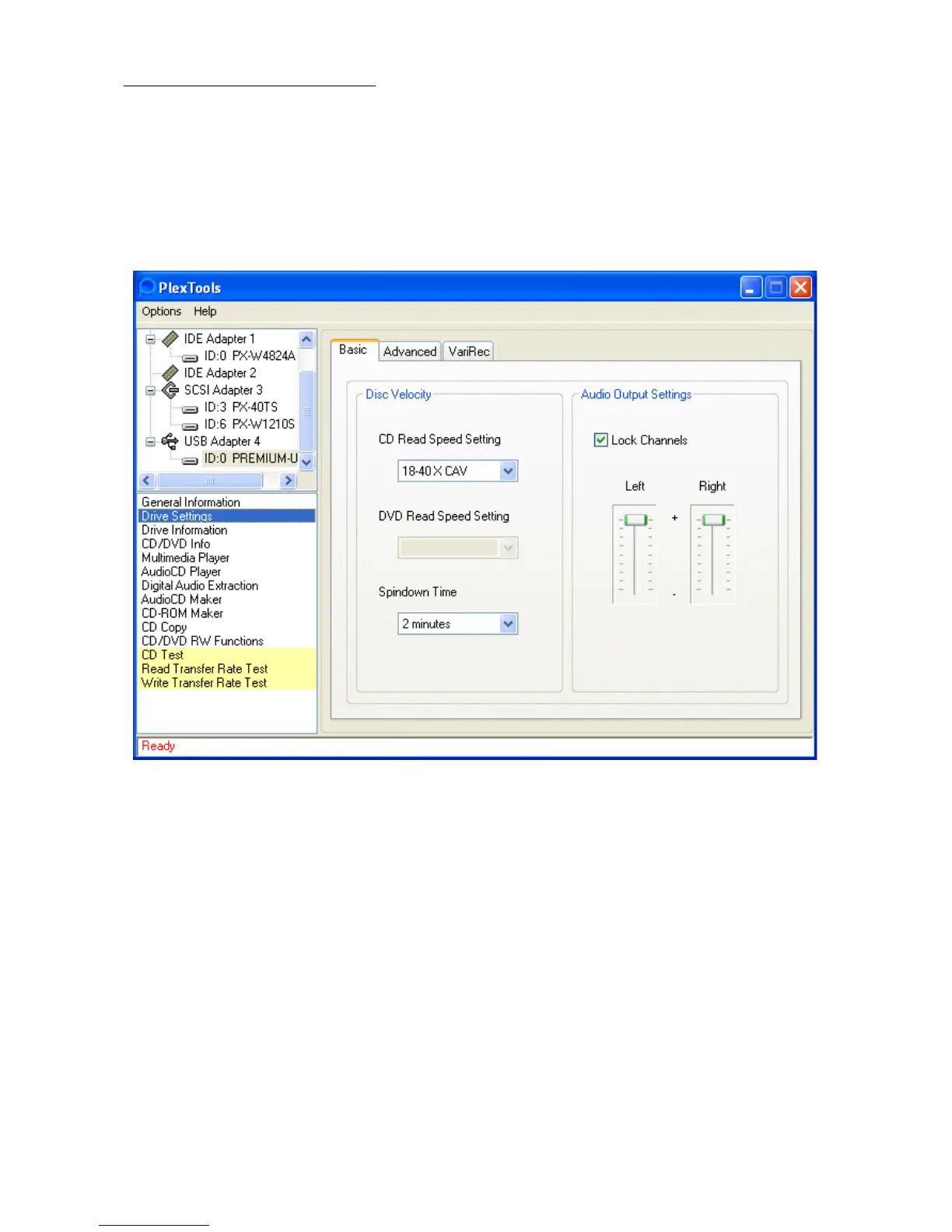
To change a drive's reading speed, spindown time or audio output settings, click on
the drive settings command and then select and change the desired value.
To save these settings, select 'Options' in the toolbar, select 'Preferences' and check
the 'Save settings on exit' checkbox in the 'General' tab.
• Basic:
•
• CD Read Speed Setting: Changes the reading speed to the selected value.
• DVD Read Speed Setting: Changes the reading speed to the selected value.
(available speed settings depend on the inserted DVD type)
• Spindown Time: Changes the spindown time of the drive.
• Audio Output Settings: adjusts the audio output volume of the drive.



 To Next Page