PlexTools® Installation and Operation Manual 47
4.14 Customising general settings.
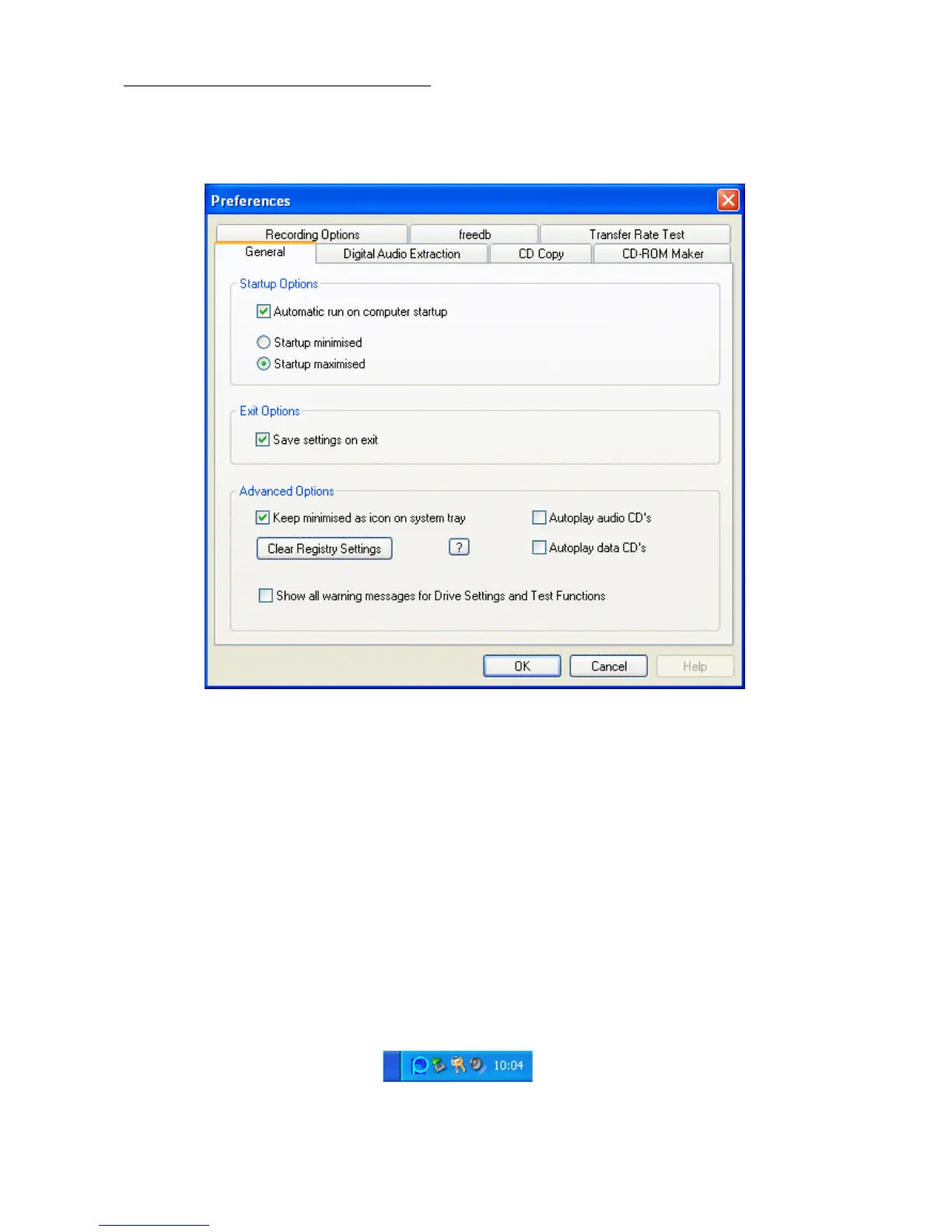
The startup options for PlexTools® can be changed by opening the 'options' menu in
the toolbar and then selecting 'Preferences'.
• Automatic run on computer startup: When this checkbox is on, PlexTools® will
run automatically when the system starts. The Plextor icon will be placed in your
System Tray.
• Startup minimised / maximised: Makes it possible to select the window size at
start-up. 'Minimised' means only the icon in the System Tray is visible. When you
double click on this icon, PlexTools® will open. The option 'maximised' opens Plex-
Tools® in a maximised window.
• Save settings on exit: Saves all the settings made in this session.
• Keep minimised as icon on system tray: When you minimise a program, Win-
dows places it in the Taskbar. With this option on, PlexTools® will be placed in the
System Tray instead of on the Taskbar.



 To Next Page