PlexTools® Installation and Operation Manual 38
• Use Specified Date: The specified date will be used on all files.
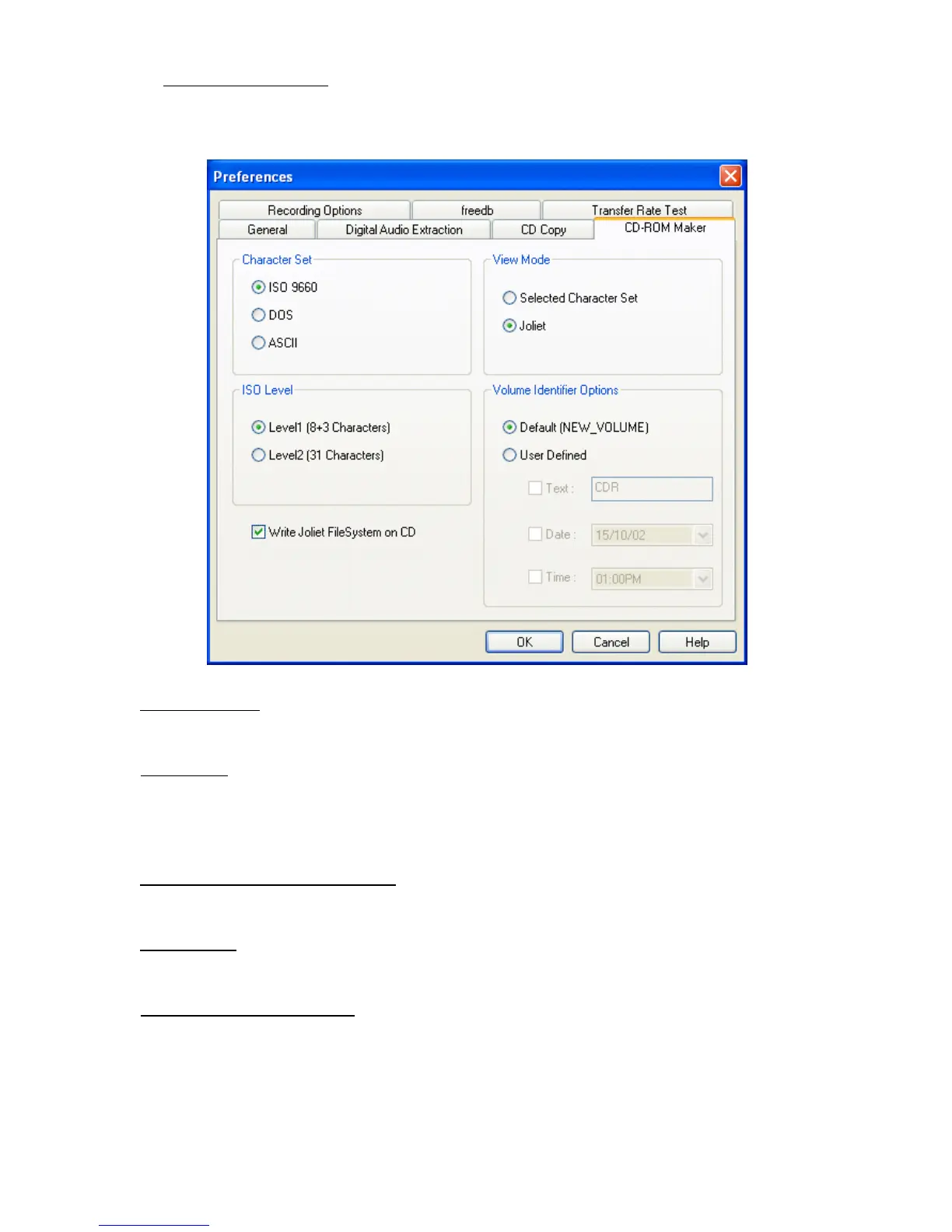
• Preferences:
• Character Set: specifies whether the ISO 9660 , DOS or ASCII character set should
be used.
• ISO Level:
Level 1: the filename cannot contain more than 8 d-characters and the filename
extension not more then 3 d-characters.
Level 2: the filename cannot contain more than 31 characters.
• Write Joliet File System on CD:
When enabled, the Joliet File System will be written
on the CD.
• View Mode: Specifies which character set is shown. (The Selected Character Set or
Joliet)
• Volume Identifier Options: Specifies whether the “Default (NEW_VOLUME)” or a
“User Defined” volume identifier should be used.
When “User Defined” is selected you can choose the Volume Identifier yourself.
Also the “Date” and “Time” format can be selected here.



 To Next Page