Section 1. Getting Started
PX-708A Installation and Users Manual
7
PX-708A Drive Features and Controls
Before proceeding, you should become familiar with the controls and
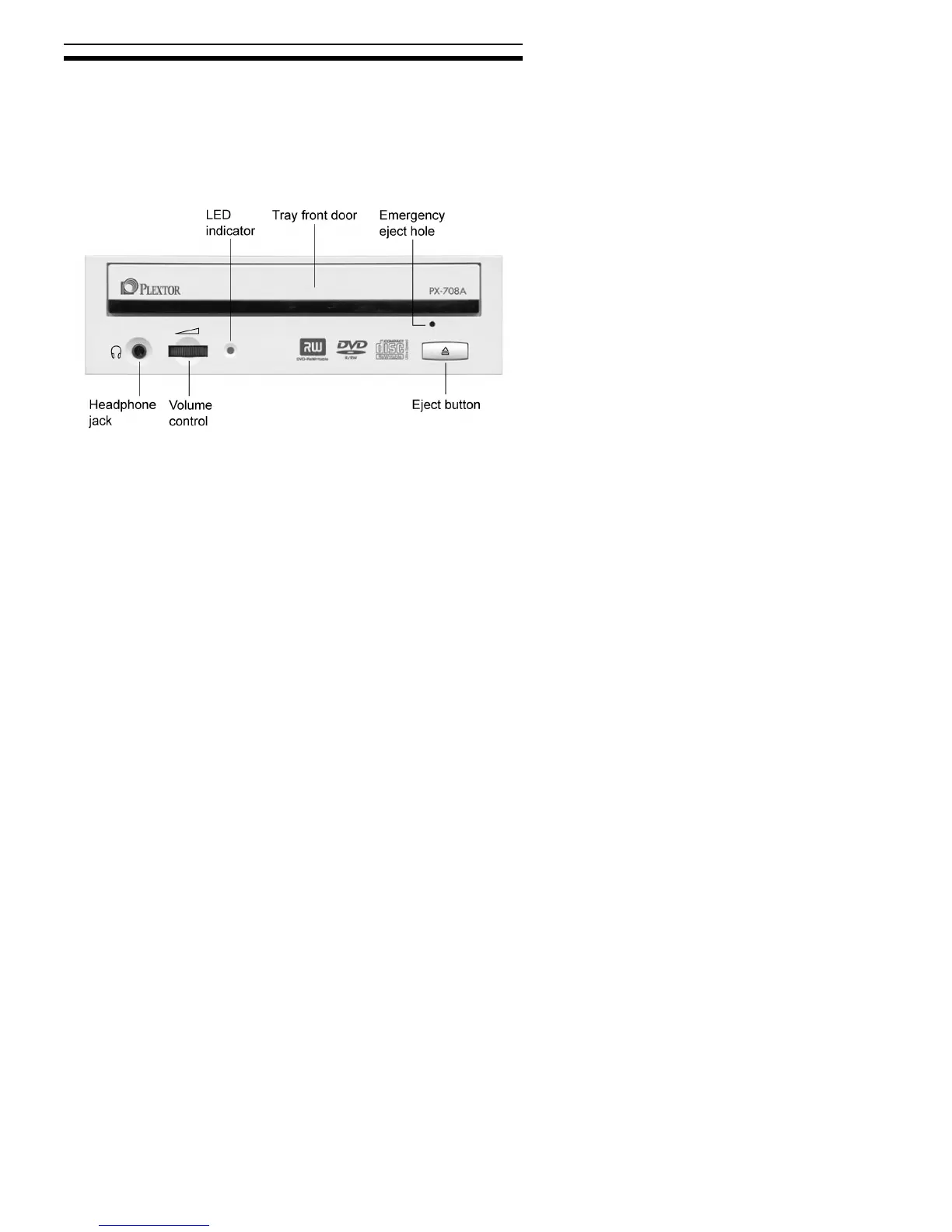
features of your Plextor drive. Match the parts of your drive to the
illustrations below.
Front Panel—PX-708A Internal Drive
Figure 1: Front panel of the PX-708A internal ATAPI drive
•
LED indicator: Illuminated yellow for disc initializing, reading, and
ejecting. Illuminated amber for writing. (Blink rate indicates writing
speed.) Illuminated green during standby and when Buffer Underrun
Proof Technology is operational.
•
Tray front door: Attached to tray drawer.
•
Emergency eject hole: If the automatic eject button does not work,
insert the emergency eject tool, paper clip, or other thin, rigid object
in this hole to eject tray. Turn OFF power before using this feature.
•
Headphone jack: Stereo mini-jack for headphones and powered
speakers.
•
Volume control: Controls volume of headphone jack.



 To Next Page