Section 1. Getting Started
8
PX-708A Installation and Users Manual
NOTE
: The volume control on the front panel of your drive adjusts only
the sound level of the headphone jack. It has no impact on the volume
level of the rear panel audio outputs.
•
Eject button: Push once to eject tray. Push again to insert the tray
back into the PX-708A. To prevent wear on the drive, always use the
eject button to insert the tray.
This button also controls SpeedRead and silent operation for DVD-
Video discs with CSS protection. To enable SpeedRead, with the
disc tray empty, press and hold the eject button for 3 seconds, then
insert a DVD-Video disc. The disc is played back at an accelerated
speed.
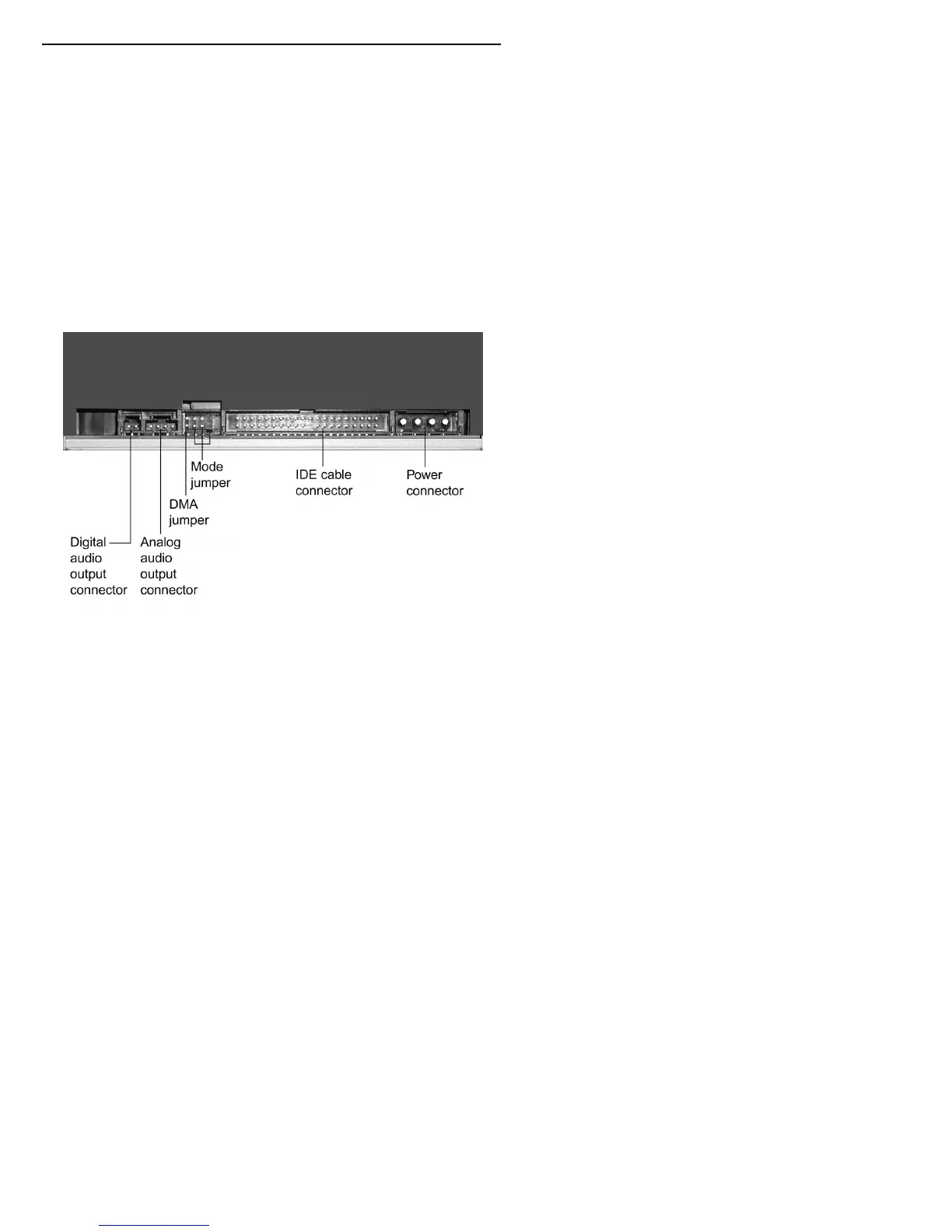
Rear Panel—PX-708A Internal Drive
Figure 2: Rear panel of the PX-708A internal ATAPI drive
•
Digital audio output connector: Outputs a digital stereo signal. Use
this to connect to a sound board that supports Sony/Philips Digital
Interface (SPDIF) or Digital-In.



 To Next Page