Section 2. Installing Your PX-708A Internal Drive
PX-708A Installation and Users Manual
25
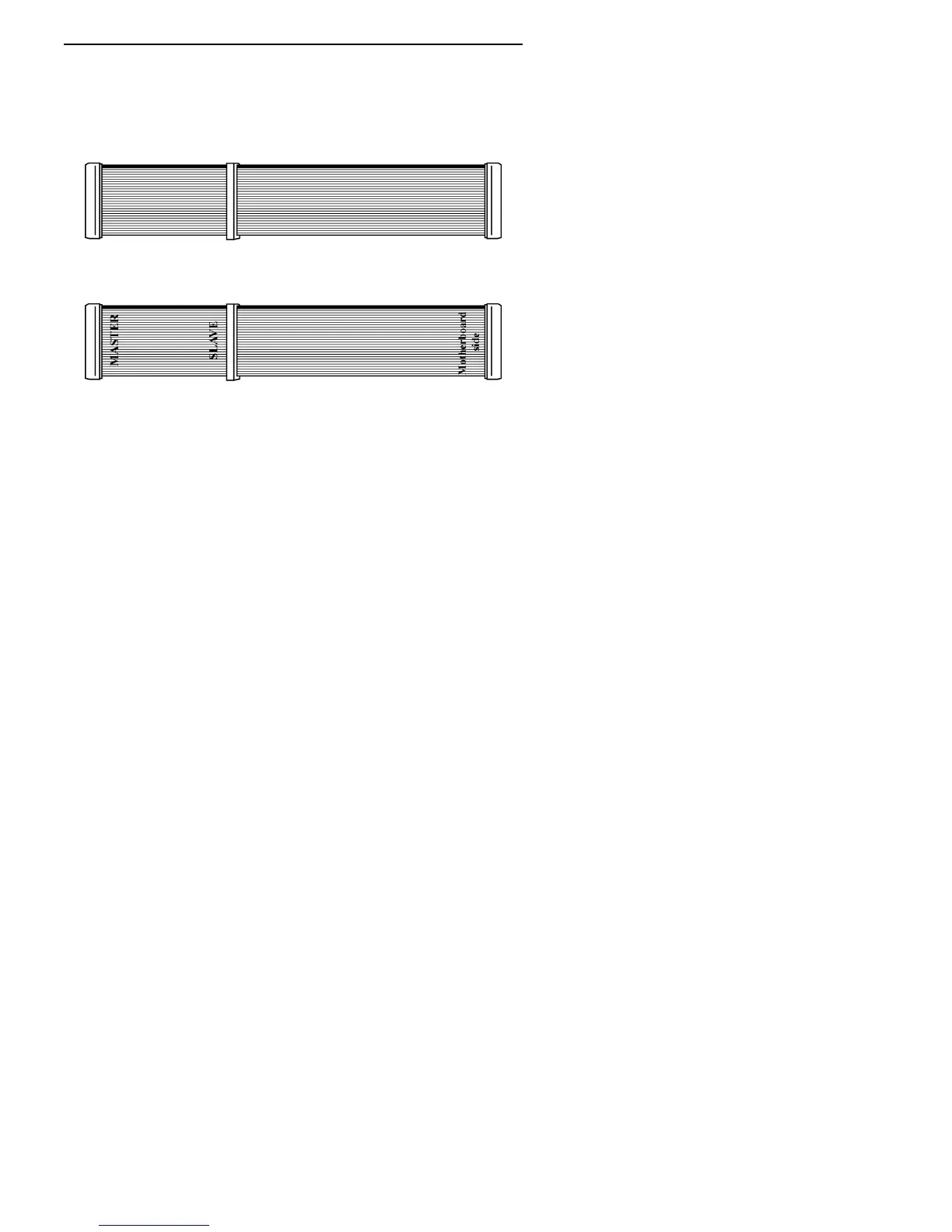
You may need to install another IDE ribbon cable in your computer.
You can use the extra IDE cable supplied with your Plextor drive. (Just
remember, if you want to use CSEL and Cable Select settings, this
Plextor-supplied cable won’t work—you’ll have to purchase a special
cable for Cable Select.)
Figure 12: Standard IDE ribbon cable
Figure 13: Ribbon cable for Cable Select (not supplied by Plextor)
CAUTION
: The length of any IDE cable cannot exceed 18 inches.
Do You Need a Power Cable?
In most computers, you will find extra power connectors in the
computer ready for your use. When you open the computer, check the
cable running from your power supply to your hard disk drive and see if
it has extra connectors on it. If so, you can plug one of these into the
power connector found on the rear panel of the PX-708A.
If you do not find any additional connectors (either because they were
not supplied or they are all in use), you will have to buy a “splitter” or a
“Y-connector.” These can also be found at most retail and mail-order
computer stores.



 To Next Page