Section 4. Maintenance and Troubleshooting
PX-708A Installation and Users Manual
47
6. If you removed the drive for access to the cable and mode jumpers,
slide it back into the computer and connect the power cable to the
drive.
7. Replace the computer’s cover and re-connect the computer’s power
cord to the power source.
CAUTION
: Turning on the computer power without first replacing the
cover can be dangerous to the computer’s components and also to
you. Be aware of the danger of electric shock and do not touch any
components inside the computer.
8. While pressing the eject button on the PX-708A, turn the computer
power on. The LED indicator blinks green, then amber, and the tray
ejects.
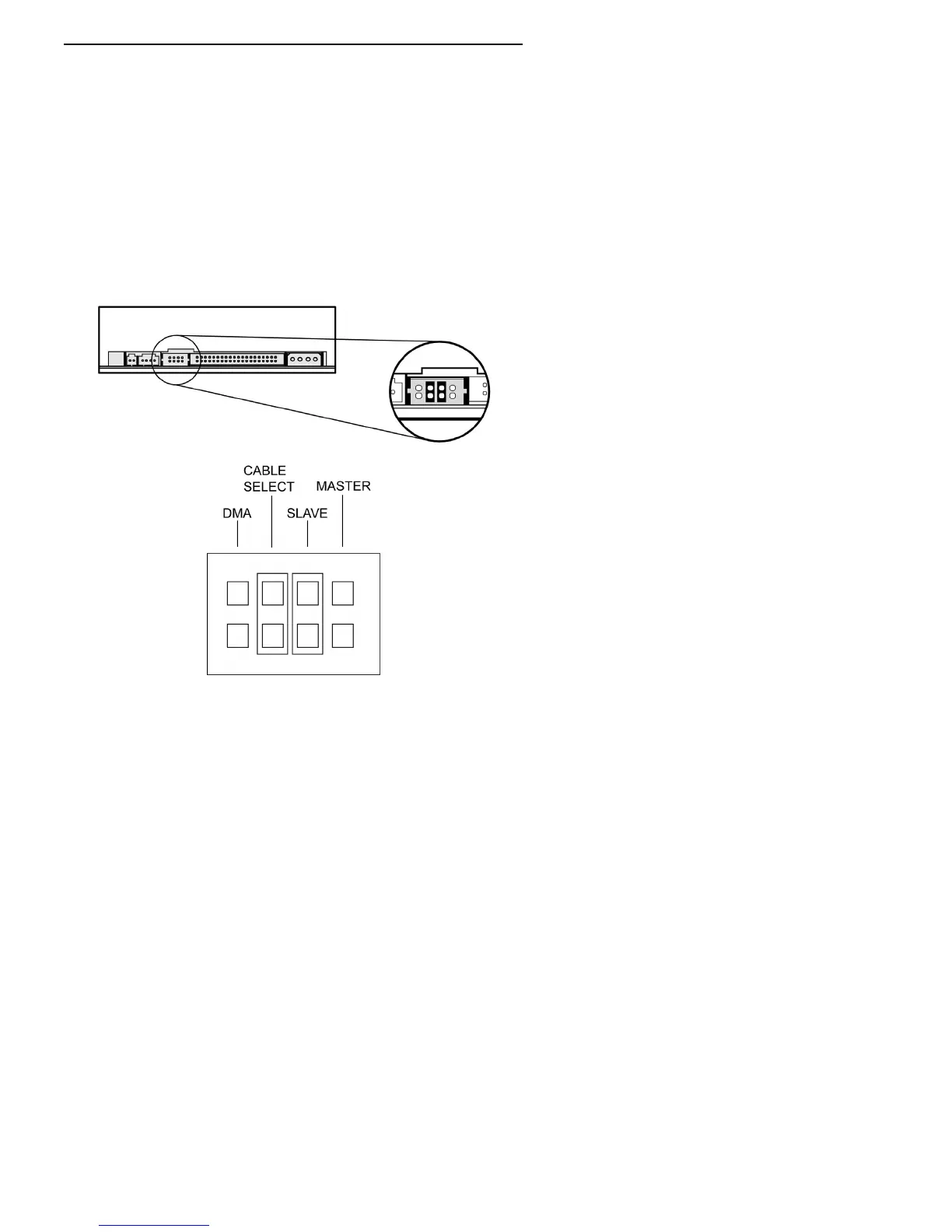
Figure 21: Place jumpers across both the SLAVE and CABLE
SELECT pins to perform the self-test diagnostics



 To Next Page