Plinius 8150 instruction manual. Page 4
AMPLIFIER FACILITIES AND FEATURES FRONT PANEL
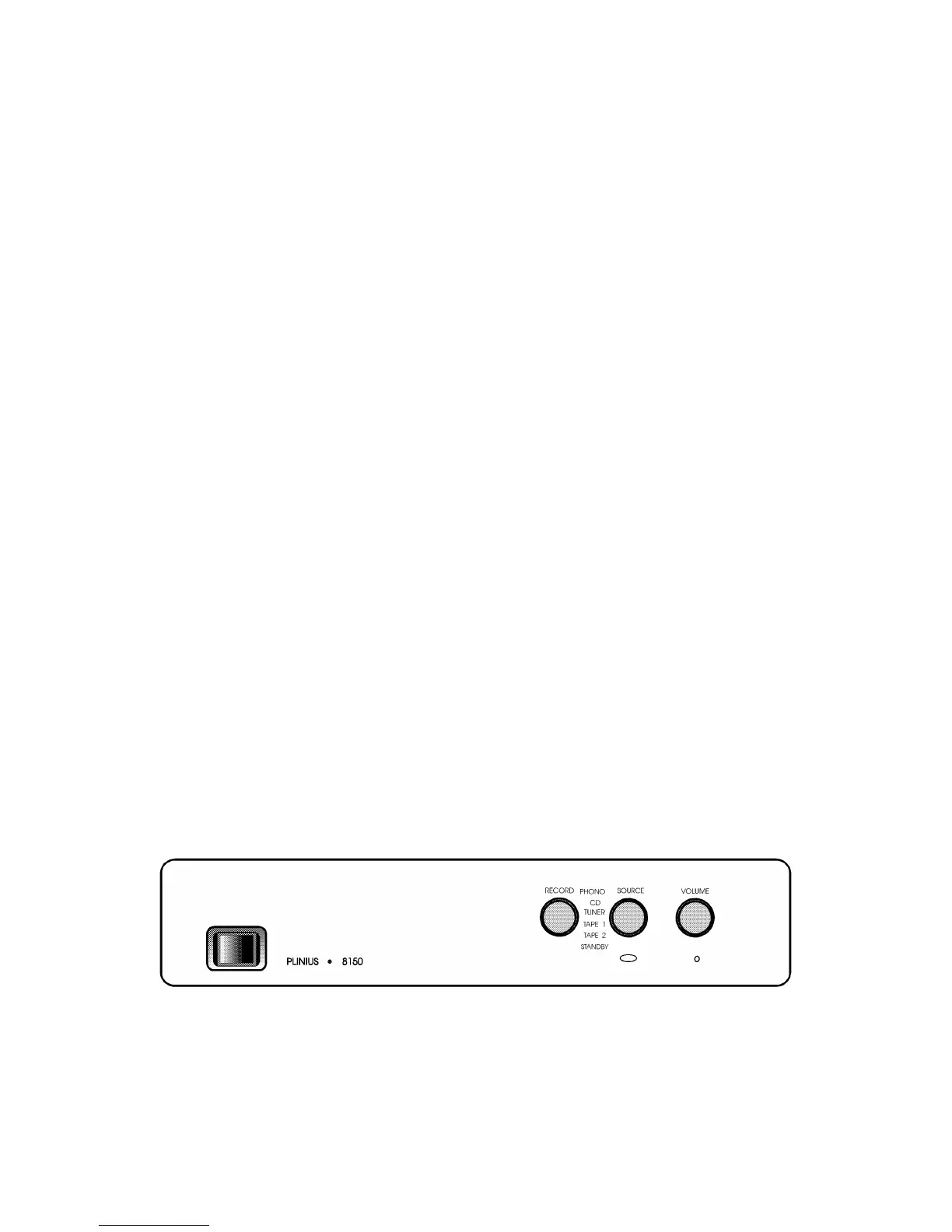
The front panel of the 8150 power amplifier incorporates a panel fitted with one switch,
and three knobs. These control the day to day functions of the amplifier. These controls
are from the left;
MAINS SWITCH. This heavy duty rocker switch to the left of this panel switches the
MAINS / LINE Power to the amplifier ON or OFF. A LED immediately adjacent to the
switch illuminates to indicate that the power is ON. This LED will flash for approx. 10
seconds after switch on to allow the 8150 to stabilise.
It is not good practice to repeatedly active this switch ON and OFF rapidly.
RECORD
The Record Selector allows recording of any chosen source and will not interfere with any
source that is being listened to eg. it is possible to be listening to the CD Input and be
making a recording from the Tuner. Two Tape decks can be fitted and dubbing in either
direction is possible.
SOURCE
The Source Selector allows any of the inputs chosen to appear at the Main Outputs.
VOLUME
The volume control is an ALPS Motorised type and will accurately convey the source
signals to the high level amplification stages. This can be used either manually or via the
supplied Remote control.
The Remote Control will operate in two modes. If the Volume Up/Down button is
depressed momentarily the volume will increase/decrease in very small increments. This
allows fine adjustment to listening levels. If the Volume Up/Down button is depressed
continuously, the volume will increase/decrease rapidly.
FRONT PANEL LAYOUT SHOWING CONTROLS
Plinius 8150 instruction manual. Page 5



 To Next Page