Title
Doc no.
RD07-001
Date (ISO 8601)
Best Practice
BM 2000 Systems
2007-07-05
Process owner Author Sign. Quality Section Revision Page
R&D Dept + Tech Support BOL 1 13(13)
K:\Produkte\PL88 RoHS\BM 2000 Best Practice doc
Scratch marks on booklets
Digital paper, especially “silk” type paper is very sensitive for scratch- or pressure marks. Paper
printed on some brands of printers is very sensitive. Here are some hints for how to find scratch
sources and how to remove them.
1. Run the booklet maker alone. Disconnect SQF and FTR from Booklet Maker.
Note: There is a risk that the booklet gets scratched by the deflector plate at the exit of
the booklet maker. This will only happen when the trimmer is disconnected.
2. Run a booklet through the booklet maker.
3. Make a note on the booklet which side is up.
4. Open the booklet. Check for marks on the outside sheet. Marks that go along the whole
page are generated before folding. Marks that are only seen on the front page or the back
page have normally happened after the folding.
5. Identify what edge causes the scratch. Measure the distance between marks or from the
middle and try to find the parts in the machine that corresponds to them. Polish edges or
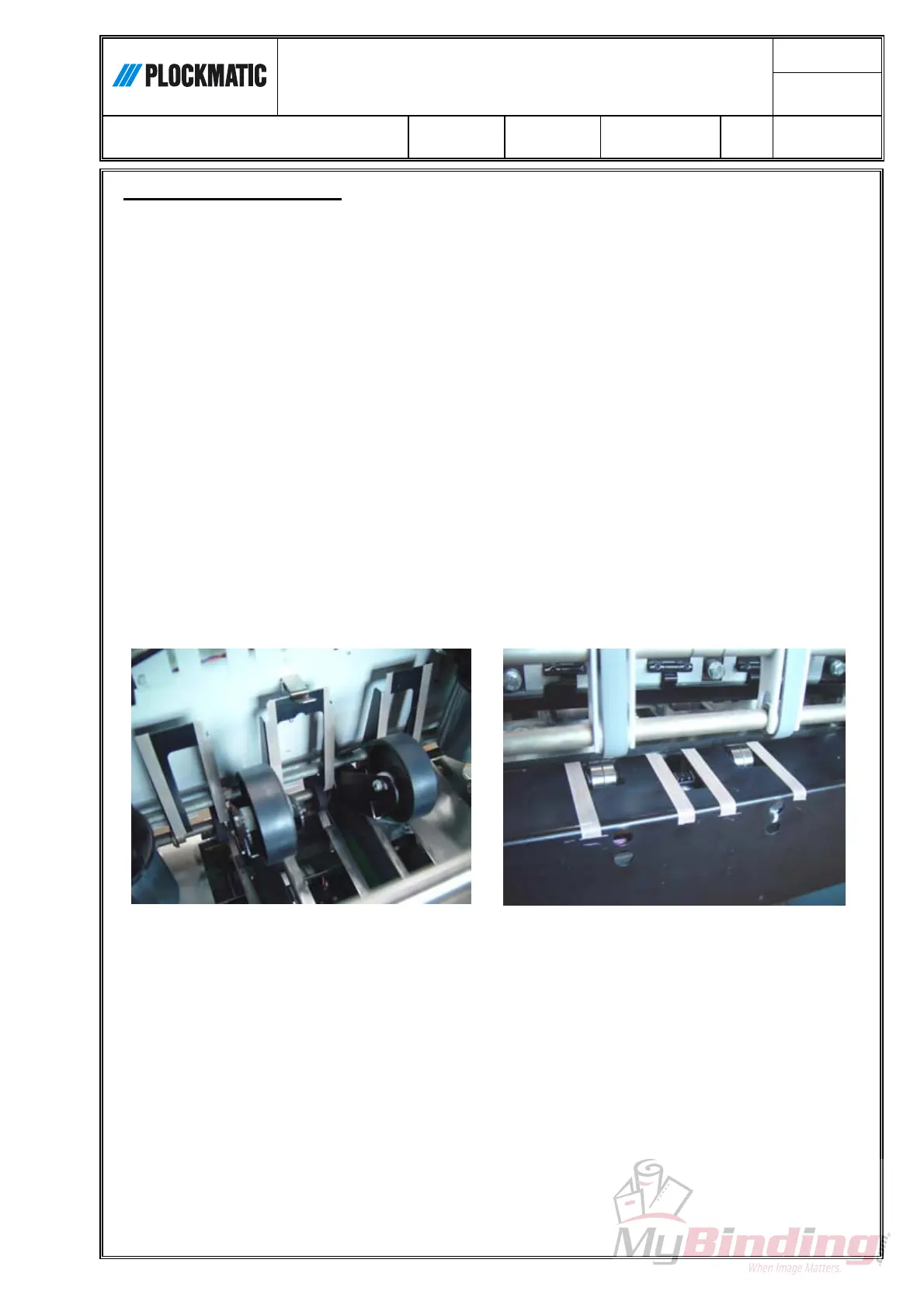
cover with Teflon tape (Plockmatic P/N 60155).
6. Connect FTR to the booklet maker. Keep SQF disconnected.
7. Repeat procedure 2 – 5 until all marks are gone.
8. Connect SQF and repeat procedure 2 – 5.
Trimmer with strips of Teflon tape
Teflon tape at trimmer inlet



 To Previous Page