REP 2.8 Adjustment stapler position to Anvil
T08009 TJ
PURPOSE
By checking the staples on a stapled set you can easely determine if the staple outlet on the stapler
head is positioned on top of the slot in the anvil.
1. Remove front and rear cover, CRI 1.1.
2. Make a few staples on a set of two sheets (do not fold), the ends of the staple are always pointing
at the slot in the anvil.
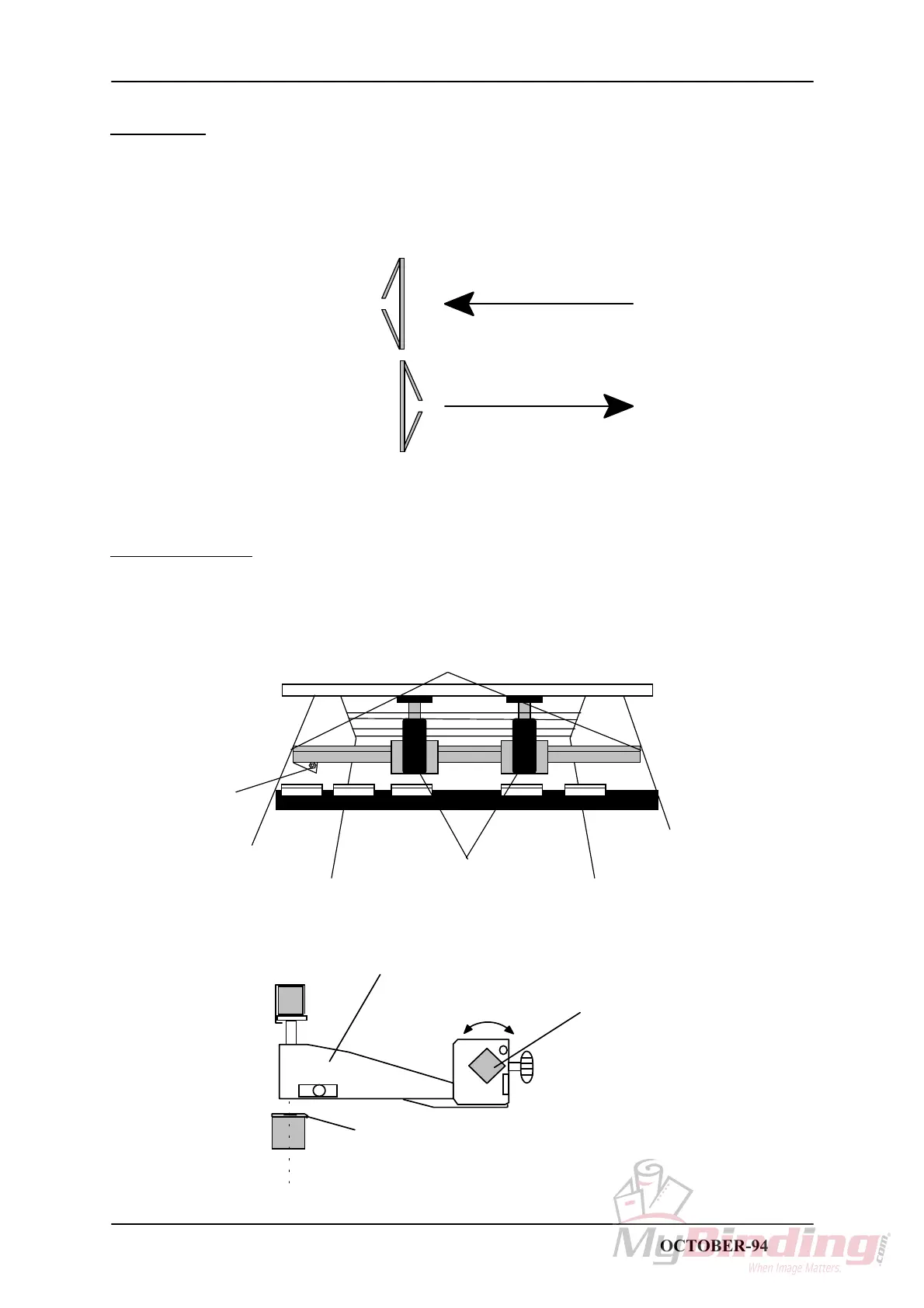
Top view of misformed staples
Move stapler head in this direction
ADJUSTMENT
1. Loosen the screw (1).
2. Loosen the screws (2) a fraction, holding the Stapler bar to the side frame.
3. Use a 17 mm wrench to turn the Stapler bar until the staples are formed correctly.
WARNING: This adjustment is performed with the power ON, make sure to stay clear from moving
parts.
1
2
Staper heads
Stapler bar
Stapler head
Anvil
STAPLER FOLDER MODEL 60/61 PAGE 2.8 OCTOBER-94



 To Next Page