REP 2.2 Adjustment of Side guides Model 60
T08008 TJ
PURPOSE
Side guides needs to have the correct position in order to transport the set straight to the fold stop.
1. Switch off the main power switch and disconnect the power cord.
2. Remove lower Infeed cover, CRI 1.2.
3. Empty Stapler magazines.
4. Move Fold knife to top position by turning the shaft on rear side of fold knife manually.
5. Tighten the Side guides in the outer most position and insert tool A.
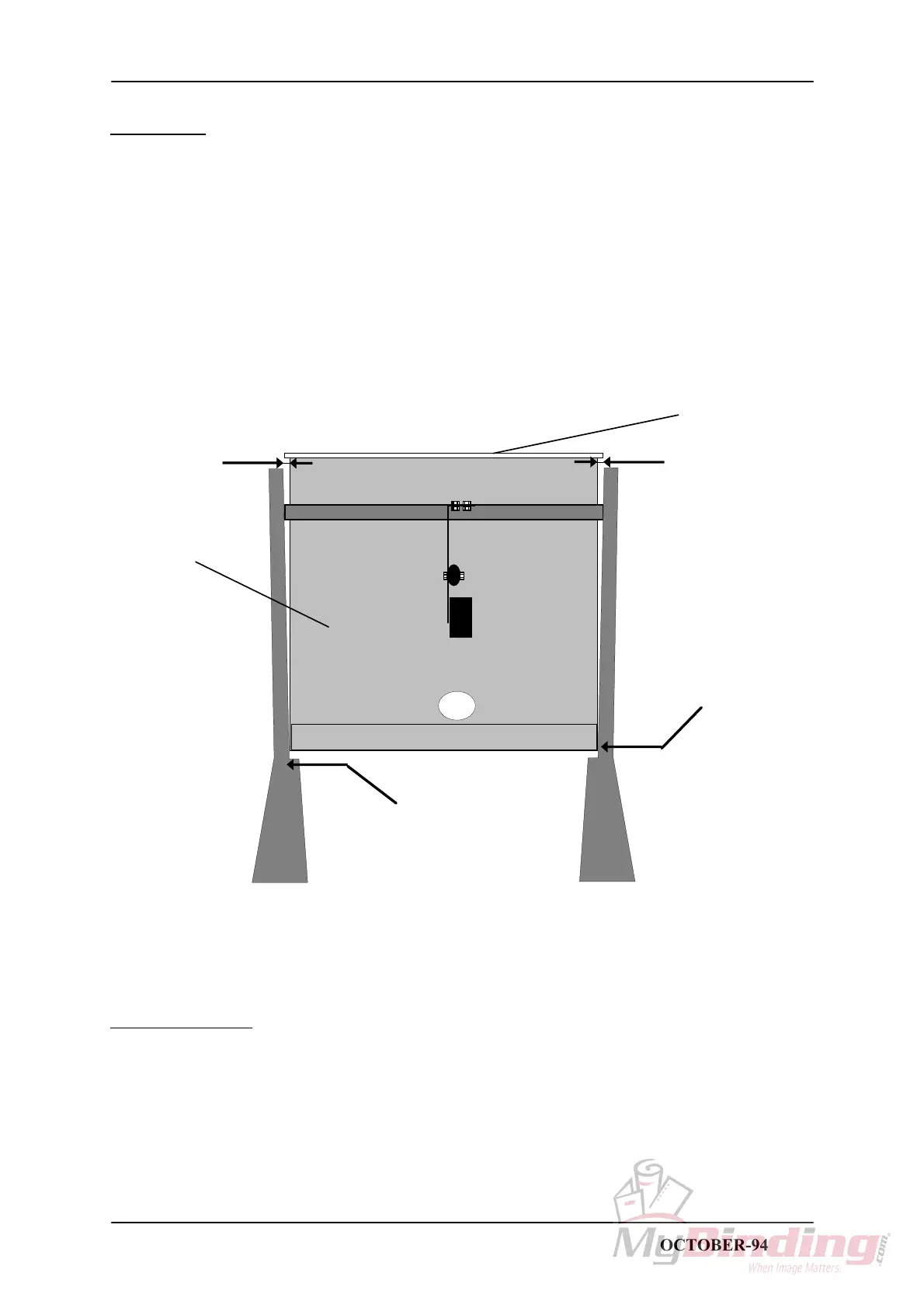
6. Move tool A until Side guide inner point is flush to tool.
VEIW FROM TOP SIDE
1mm
1mm
Side guide flush to tool
Adjust on these screws
Fold knife
Tool A
ADJUSTMENT
1. Loosen screws holding Side guides and adjust so that there is a 1mm gap at the lower end of Side
guides according to the figure.
STAPLER FOLDER MODEL 60/61 PAGE 2.2 OCTOBER-94



 To Next Page