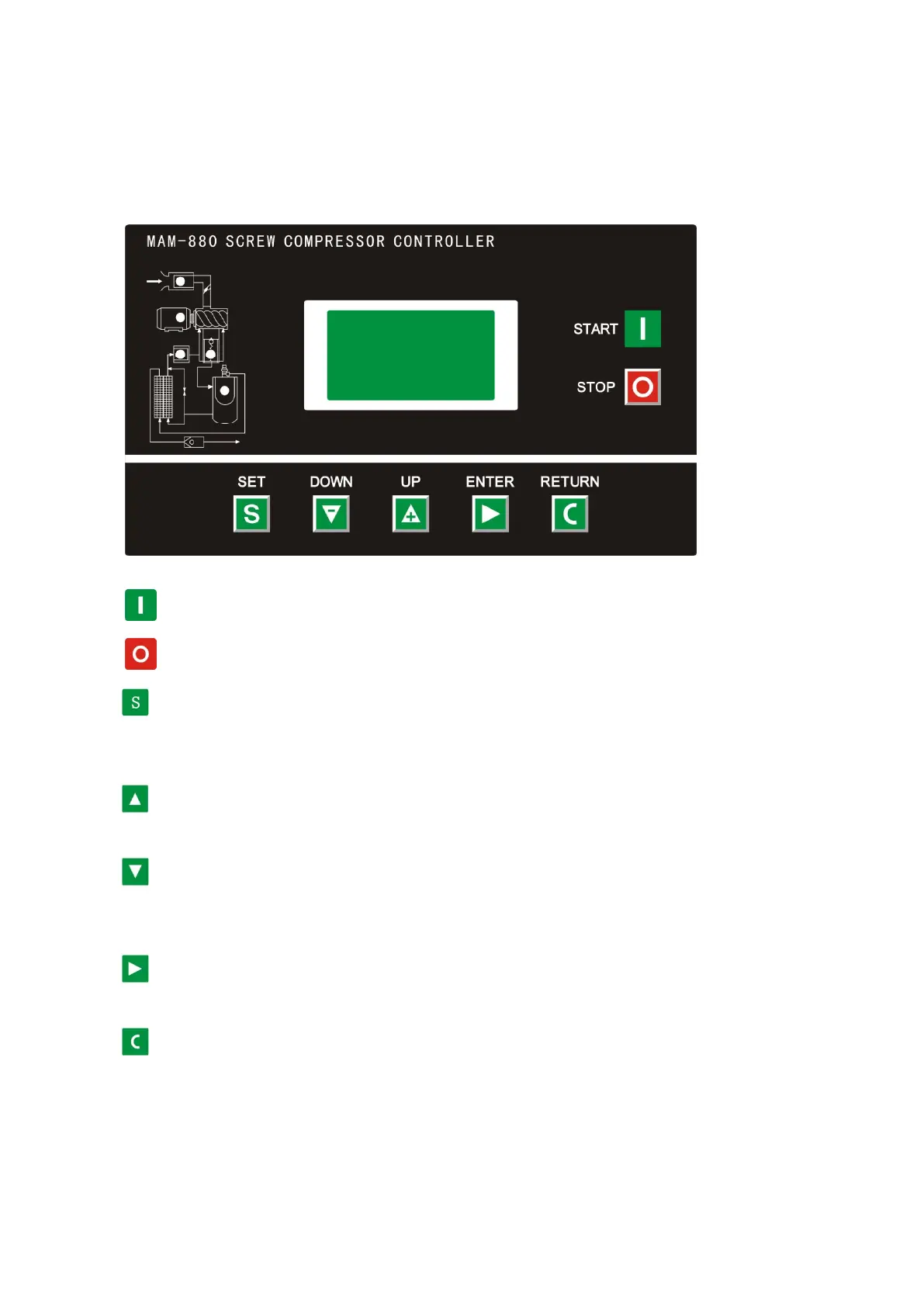
1、Basic Operation
1、Button Explanation
Figure 1.1.1
——Start Button: Press this button to start the compressor。
——Stop button:Press this button to stop the compressor。
——Set Button/ Loading / unloading Button: After modification, press this to confirm and
save modified data;When the compressor is running ,press this button to load or unload
under a certain pressure.
——Move up button/increase button: Data at current position is increased by pressing this
button when data are modified; Menu is moved upwards when menu is selected.
——Move down button / Descending button: Data at current position is descended by
pressing this button when data are modified; menu is moved downwards when menu is
selected.
——Shift button /Enter button: This button services as shift button when data are modified
and services as enter button when menu is selected.
——Back button / Reset button: This button services as back button when operate menu to come back
Parent menu; resetting is carried out by pressing this button for a little long time when failure
shutdowns
2、Indicator instructions


 To Next Page