to the first bit of password,Press the shift button, move the cursor to the next
data bit,modify the current data is equal to the second password data,
Accordance with the above , modify the third and fourth Finally, press the “Set
button” to confirm the input, the system verify the password is correct, switch to the
following interface:
The upper right corner with "* "prompt
said the system has passed the password
authentication
In as shown above interface, press “enter button” , then the data of loading pressure start to flash, users
can press “increase button” or “Descending button” to modify the present data. When finished, press
“Set Button” to confirm and save. the controller prompt sends out the short voice to tip.
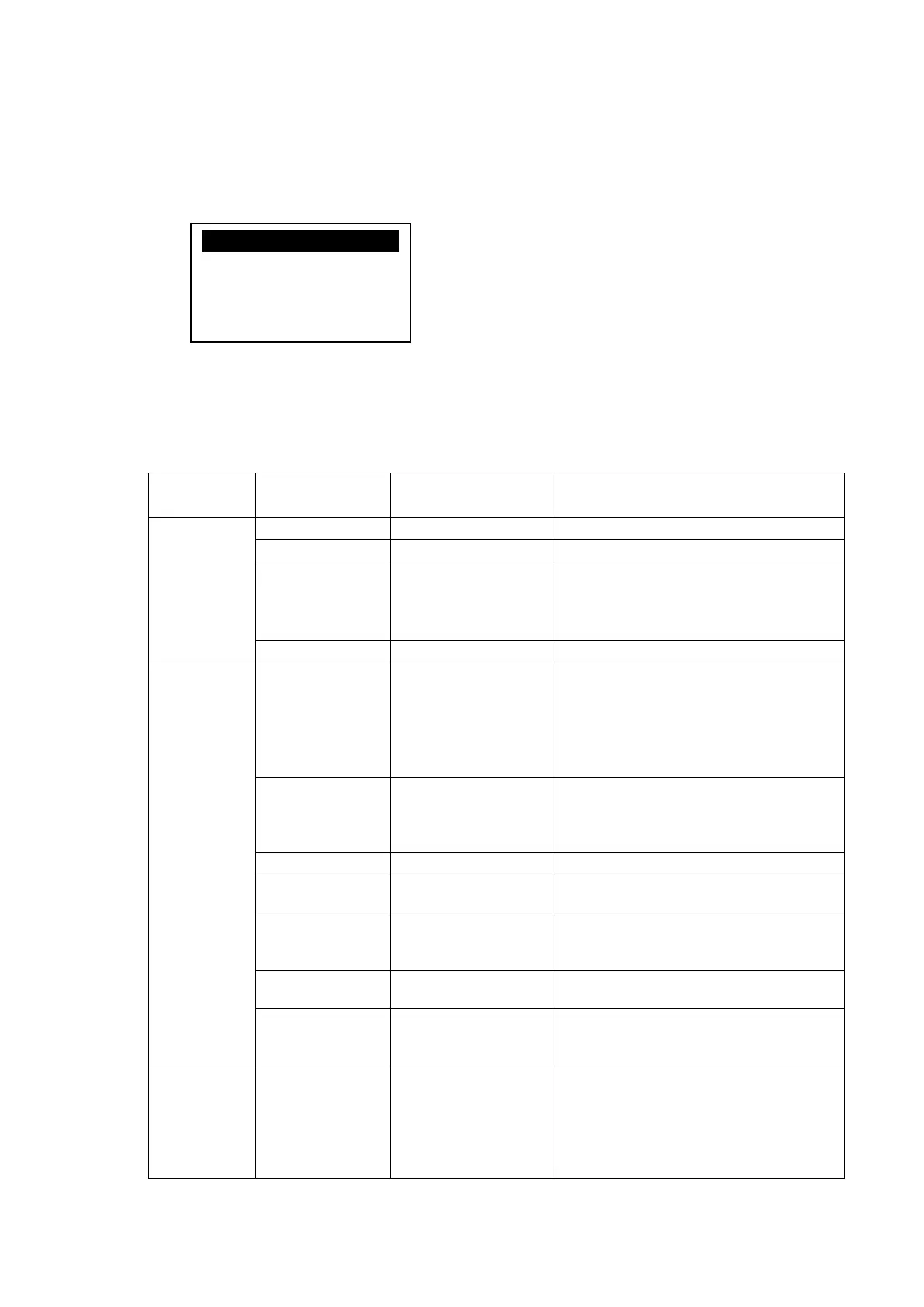
6、Customer Parameter and Functions
First
Submenu
Second submenu Preset Value Functions
SET P. T.
LOAD P. *.**MPa LOADING PRESSURE VALUE
UNLOAD P. *.**Mpa UNLOADING PRESSURE VALUE
FAN START
***℃
Control the fan starting. This value will
be set as “120℃” if there is no fan
present or the fan is not required to be
protected.”
FAN STOP
***℃
Control the stopping of the fan
TIME SET
HOST START 0008S
When using the controller to protect the
motor, it is required that the time set here
will not meet the impulse starting current
of the motor, the value here must be
longer than the STAR DELAY TIME
plus LOAD DELAY TIME
FAN START 0006S
When using the controller to protect the
motor, it is required that the time set here
will not meet the impulse starting current
of the motor.
STAR DELAY 0006S Star pressure descending start delay time.
LOAD DELAY 0002S
The loading delay time after star pressure
descending.
EMPTY DELAY 0020M
Load free continuous running time, the
machine will automatically stop after this
time
STOP DELAY 0010S
The machine will not stop until the load
free running status lasting till this time
START DELAY
0100S
Machine can not be restarted before this
set time after stopped or over time
operation at load free state
OPERATION
MODE
ON/OFF MODE NEAR/FAR
When the remote mode is set, both the
button on the controller and the remote
control button can turn on and off the
machines;When the near mode is set,only
the button on the controller can turn on
and off the machines.
LOAD P:
UNLOAD P:00.78MPa
FAN START:0080℃
FAN STOP:0075℃


 To Next Page