Docking Station with Video User’s Manual
5
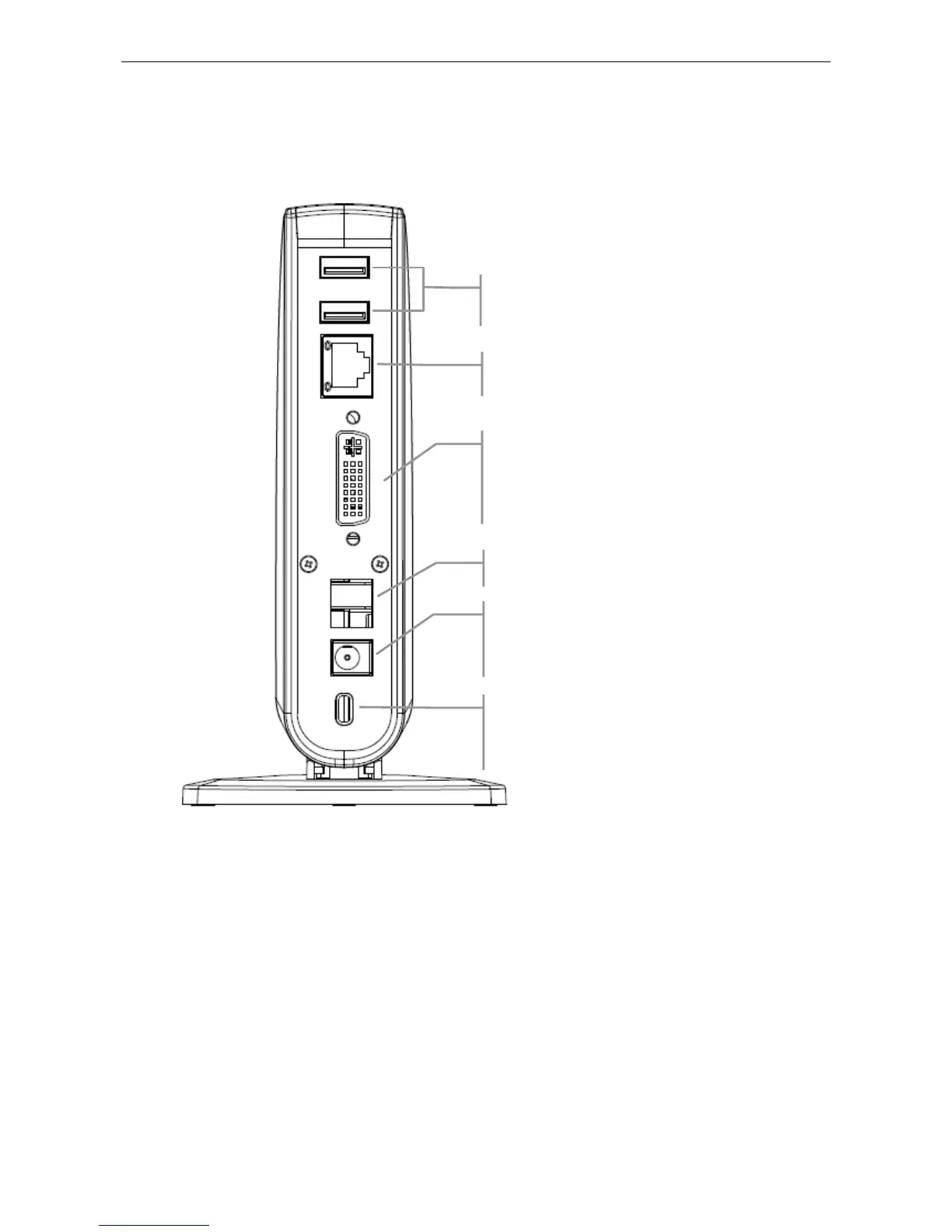
Rear Panel
4 USB 2.0 downstream ports (A type female
connector): For connection to USB peripherals.
10/100 Mbps Ethernet port: For connection to the
Ethernet network via a network cable (not provided).
DVI video output port: For connection to a VGA or
DVI monitor.
For DVI model, if you want to connect to a VGA
monitor, use the provided DVI to VGA adapter for
connection.
USB upstream port: For connection to the USB port o
the host computer.
Power jack: For connection to the provided power
adapter. The Docking Station always needs external
power supply for operation, as it does not take power
from the USB bus.
Security lock slot: Industry-standard Kensington®
security slot for connection to a security lock (not
provided). Insert the lock’s locking end into the slot and
turn the key to lock the docking station.


 To Next Page