Docking Station with Video User’s Manual
21
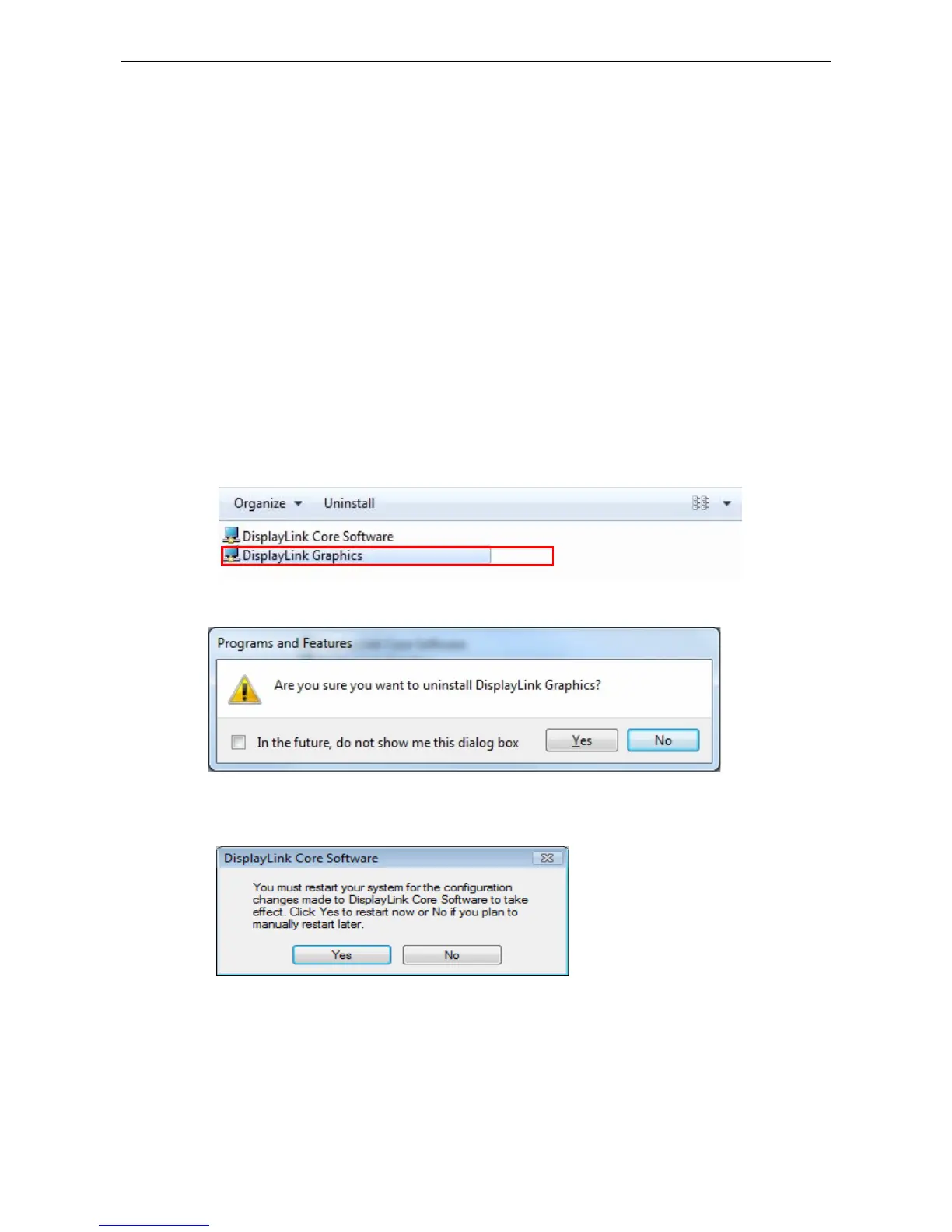
4. Uninstalling the Drivers
Uninstalling the Driver
Please take these steps to uninstall Drive:
1. Open the Control Panel and double-click Uninstall a Program on Windows
®
7, Programs and Features on Windows Vista
®
or Add or Remove Programs
on Windows
®
2000/ Windows
®
XP.
2. Select DisplayLink Graphics…and click Uninstall or Remote
3. Click Yes to confirm the removal.
4. Click Yes to restart your computer. You can also disconnect the video
connection now.


 To Next Page