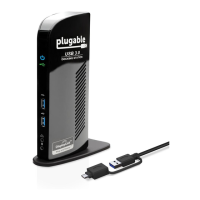
Docking Station with Video User’s Manual
22
5. Specifications
General
Host Interface
USB 2.0
Operating System
Support
Windows
®
2000 SP4, Windows
®
XP SP2,
Windows
Vista
®
(32/ 64 bit) and Windows
®
7 (32/64 bit).
Ports and Connectors
Upstream
1 x Upstream USB 2.0 Port (Type B female Connector)
USB Hub Downstream
4 x Downstream USB 2.0 Port (Type A female connector)
Ethernet
1 x Ethernet Port (10/100 Base-T Ethernet RJ-45 connector)
Video
1 x DVI-I Port (24pin + 5pin Female Connector)
Audio
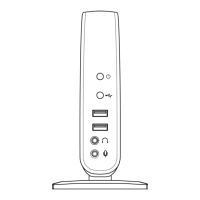
1 x microphone (3.5 mm stereo audio in)
1 x headphones/speaker (3.5 mm stereo audio out)
Security Lock Slot
Industry-standard Kensington® security slot
LED
Power LED (Blue)
On: Power is supplied to the docking station.
Off: No power is supplied to the docking station.
USB Hub LED (Green)
On: Any of the four USB downstream ports is connected to a
USB device.
Off: No USB device is connected.
Power
Power Adapter
Input: AC 100-240V, 50~60 Hz
Output: DC 5V / 2.5A
Power Mode
Self-powered
Ethernet Component


 To Next Page