Docking Station with Video User’s Manual
6
2. Installation
As the docking station with video comprise several components and some
components require specific installation procedure, please follow the steps
described in this manual to install the drivers first and then make the connection.
A. On Windows
®
7 with Windows Update Enabled
Using an existing network connection, connect the docking station’s power adapter and
devices, and simply connect the docking station to your PC to allow Windows to
automatically detect, download, and install the latest drivers.
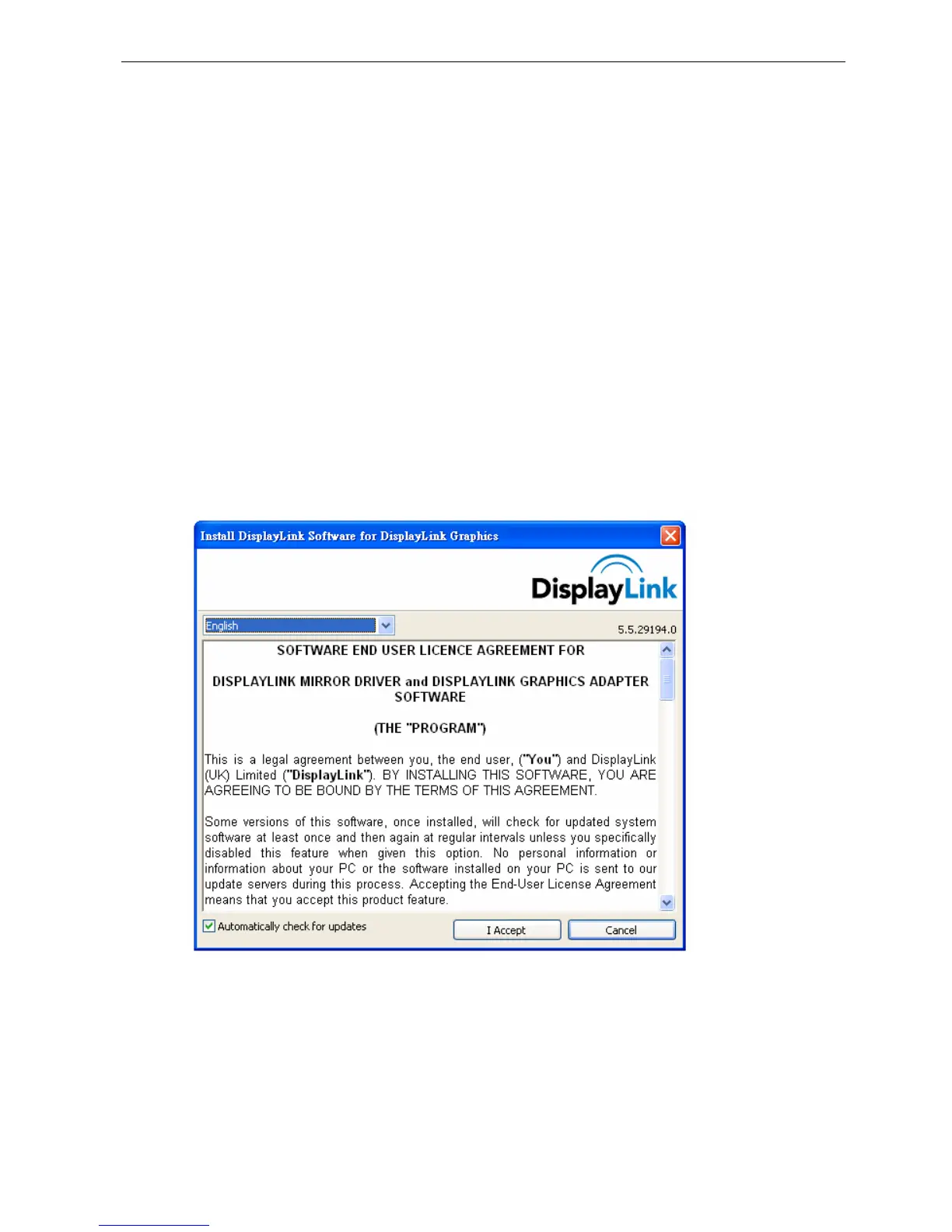
1. Please click I Accept after reading the statement of “SOFTWARE END USER
LICENCE AGREEMENT FOR DISPPLAYLINK MIRROR DRIVER and
DISPLAYLINK GRAPHICS ADAPTER SOFTWARE”.
2. Please wait while Windows configures DisplayLink Core Software. Your screens may
temporarily go black or flash during this process.


 To Next Page