7. Professional measurement
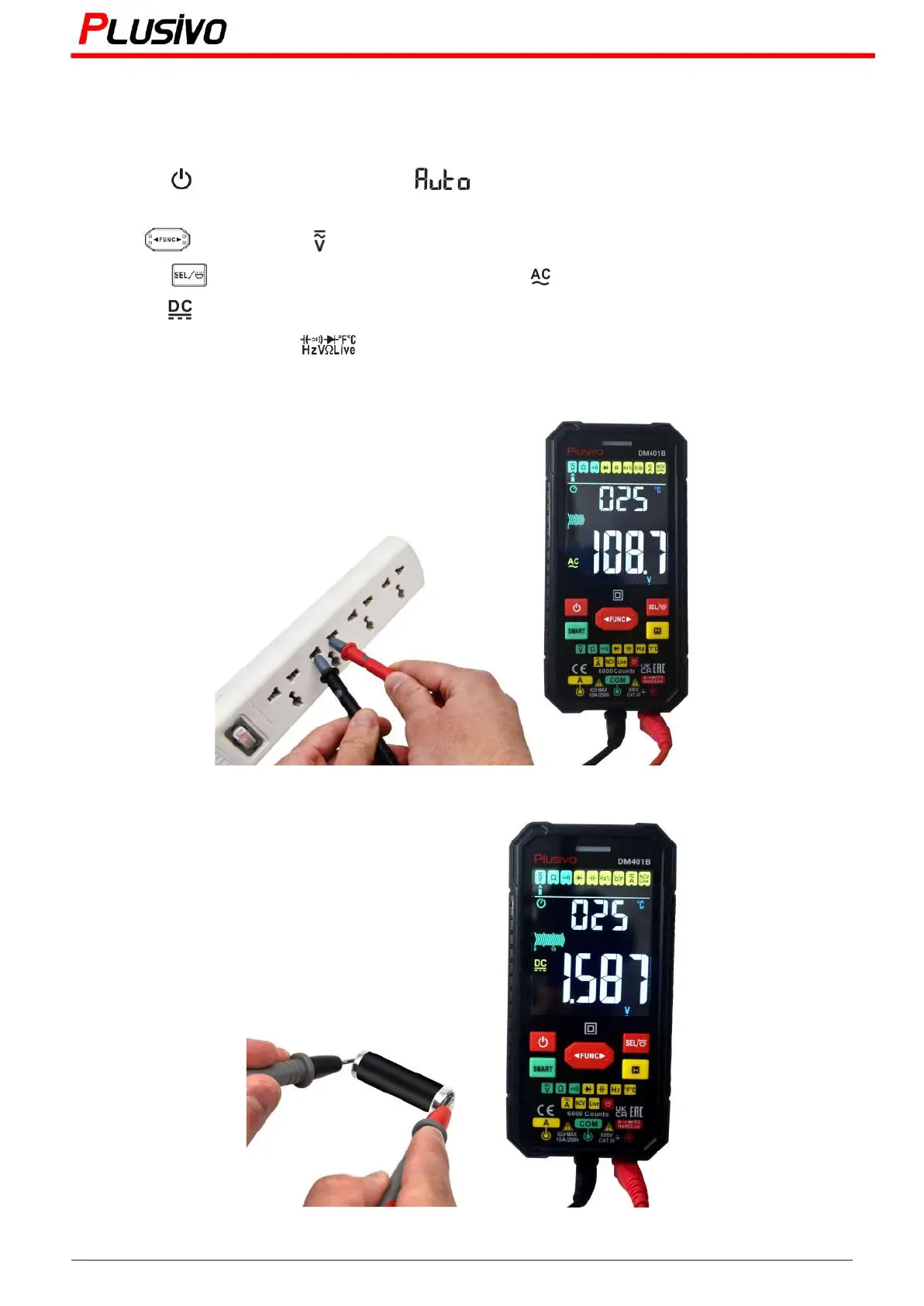
7.1 AC/DC Voltage Measurement
1) Press the button to turn on the power, will be displayed and will enter the smart
measurement mode.
2) Press " " key to select " " gear.
3) Press the “ ” button to select AC or DC voltage. The " " symbol on the display is the AC
voltage; the " " symbol on the display is the DC voltage.
4) Insert the red probe into the jack and the black test lead into the "COM" jack.
5) Contact the probe with both ends of the measured power supply (parallel).
6) Read the results from the display.
12
Mastering the Art of Measurement (DM401B Smart Digital Multimeter) r.01 www.plusivo.com



 To Next Page