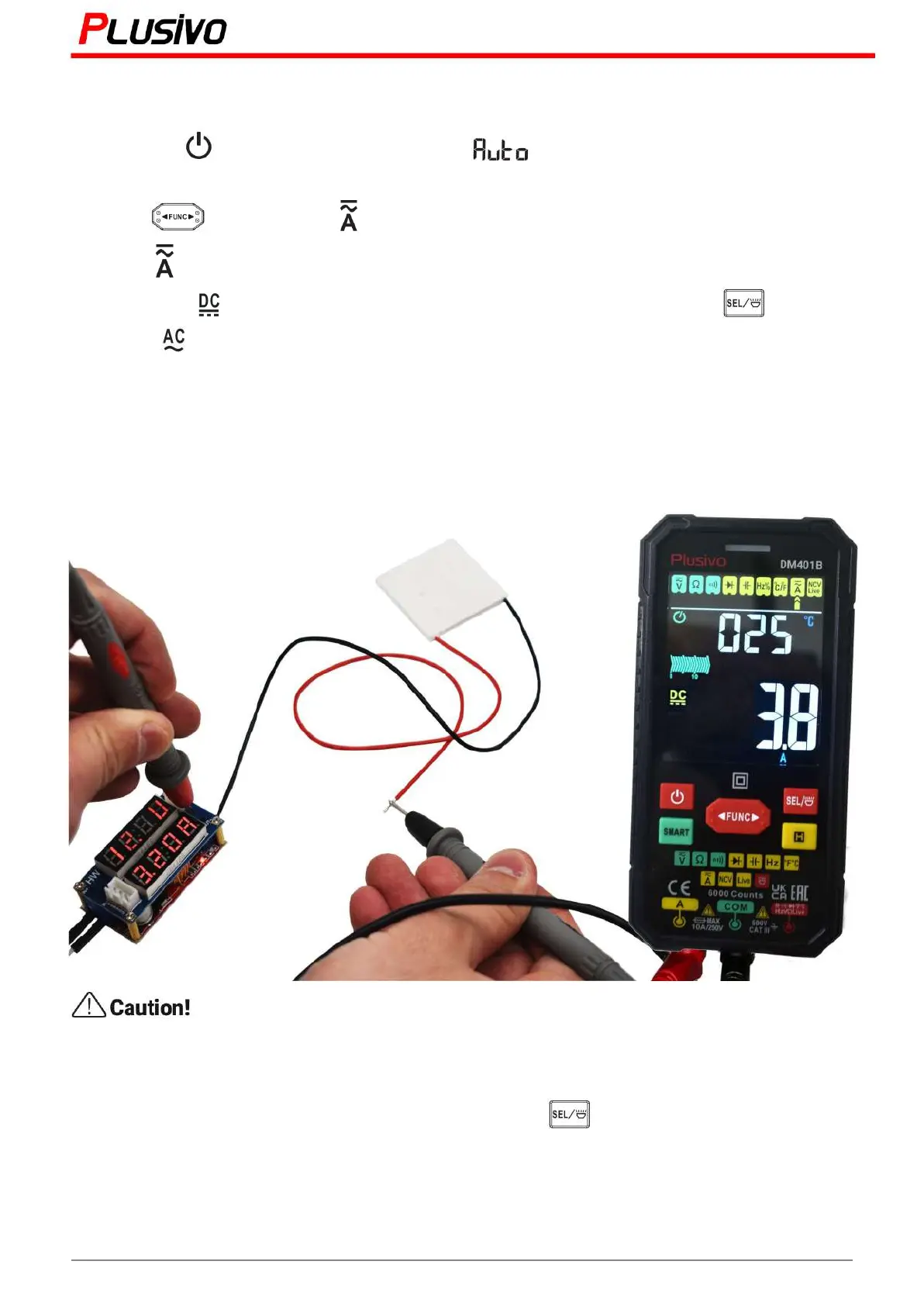
7.10 AC/DC current measurement
1) Press the " " button to turn on the power, " " will be displayed and will enter the smart
measurement mode.
2) Press " " key to select " " gear. Or insert the red probe into the A jack to automatically
select the " " gear.
3) The symbol " " on the display means DC current measurement; press the " " button to
display the " " symbol, which is AC current measurement.
4) Insert the red probe into the A jack and the black probe into the COM jack.
5) Disconnect the measured power supply, after that connect the meter in series with the power supply,
and then turn on the measured power supply.
6) Read the results from the display.
Do not measure current greater than 10 A, otherwise the fuse will be blown.
If you want to do AC current measurement, press the " " button to shift to AC current
measurement function.
21
Mastering the Art of Measurement (DM401B Smart Digital Multimeter) r.01 www.plusivo.com



 To Next Page