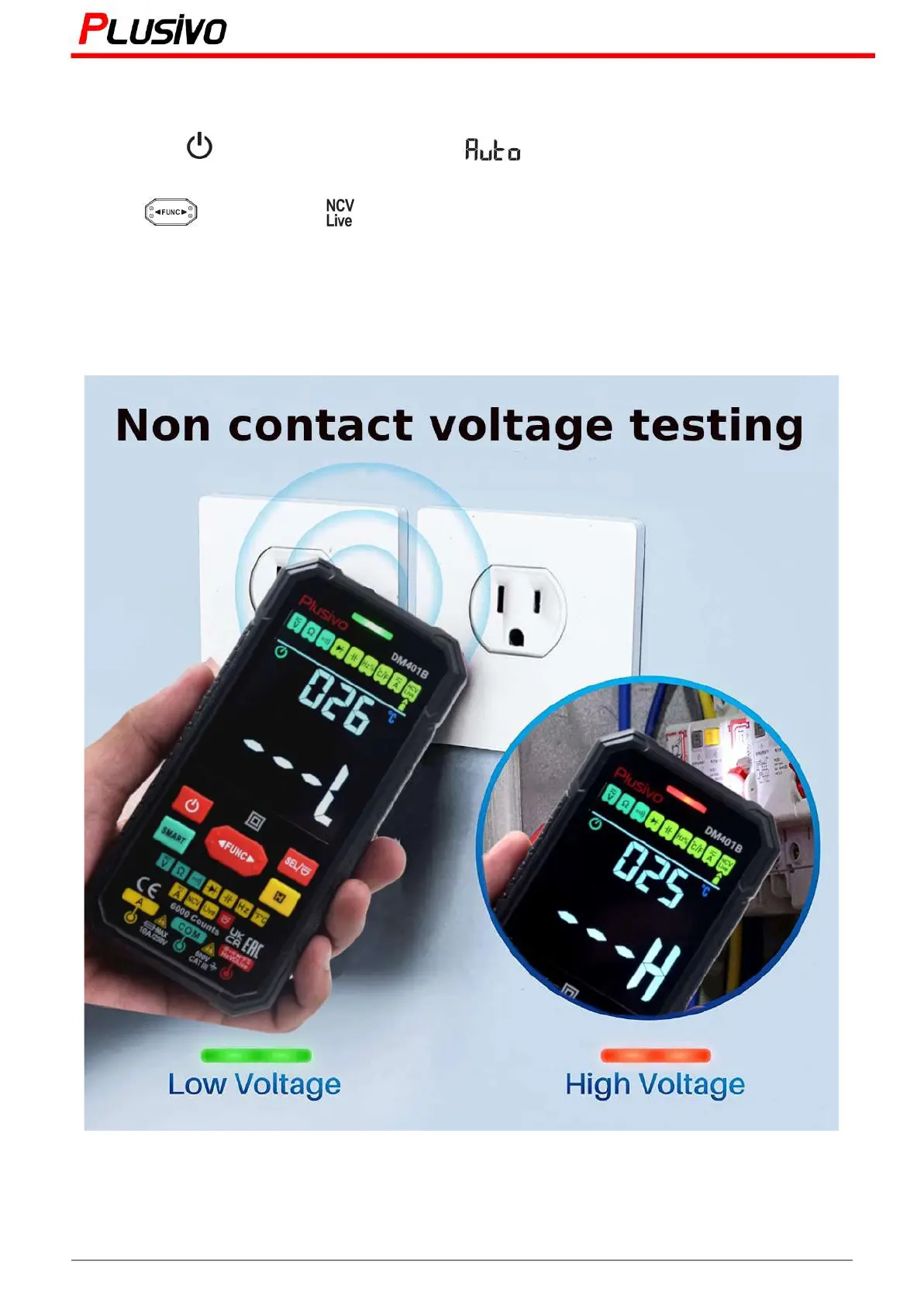
7.8 Non-contact AC voltage (NCV) detection
1) Press the button to turn on the power, will be displayed and will enter the smart
measurement mode.
2) Press " " key to select " " gear. The "NCV" symbol will be displayed.
3) Gradually approach the NCV sensor area to the conductor.
4) When the weak electric field signal is detected, it will display "---L"; the sound of the buzzer will slow
down and the green light will turn on.
5) When the strong electric field signal is detected, it will display "---H"; the buzzer will sound fast and the
red light will turn on.
19
Mastering the Art of Measurement (DM401B Smart Digital Multimeter) r.01 www.plusivo.com



 To Next Page