42
Selecting the Treatment Intensity Level
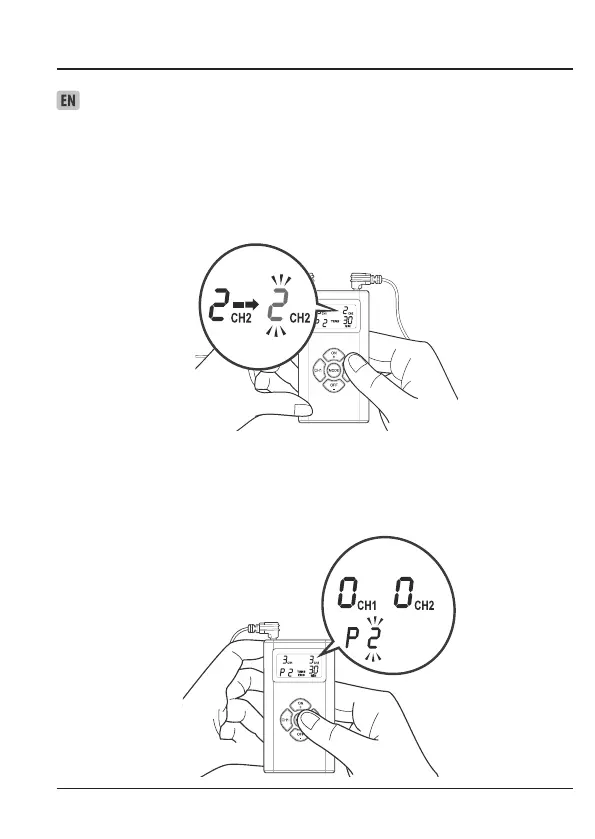
1. Intensity is adjustable according to the channel selected.
Select the channel you wish to adjust by pressing CH1 or CH2.
“CH1” or “CH2” will ash on the display.
2. To increase or decrease the intensity, press ON + (to increase) or
OFF – (to decrease) repeatedly until the desired intensity level
ashes on the display.
NOTE: You will feel the intensity increase or decrease as you select the intensity level. You can use
this as a guide to select a level that is comfortable for you.
NOTE: If you change treatment mode/program during the course of a treatment session, the
intensity level will reset to “0” showing on the screen, for safety reason.
3. Press MODE to save your selection.


 To Next Page