0.00.104 PMDG 737NGX
TUTORIAL #2
27FEB15 RTM DO NOT DUPLICATE For Simulator Use Only
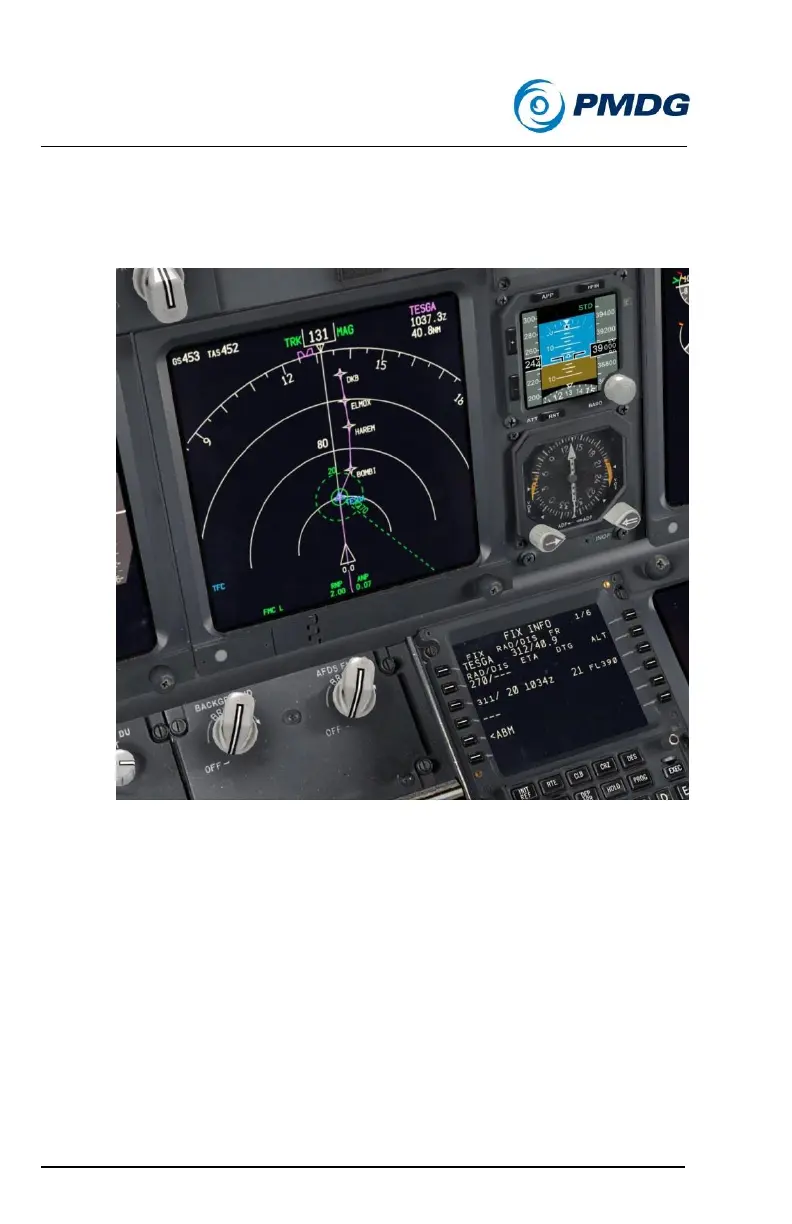
Type /20 and insert it at LSK 3L.
This creates a 20nm dashed green ring around TESGA on the
ND.
You also get some useful information on line 3. The new data
that appears tells you the exact radial you’ll be on when you
intersect the 20nm ring, how far (distance to go – DTG) you have
until you reach it, what time in zulu/GMT you’ll get there, and
what altitude you’re predicted to be at.
This same info will also show for a radial entry if the radial
crosses the aircraft’s current flight path.
Enter the Taunus VOR (TAU) into LSK 1L.
Set the ND to 40nm.
Press the ABM (abeam) prompt at LSK 5L.



 To Next Page