PMDG 737NGX 0.00.105
TUTORIAL #2
For Simulator Use Only DO NOT DUPLICATE 27FEB15 RTM
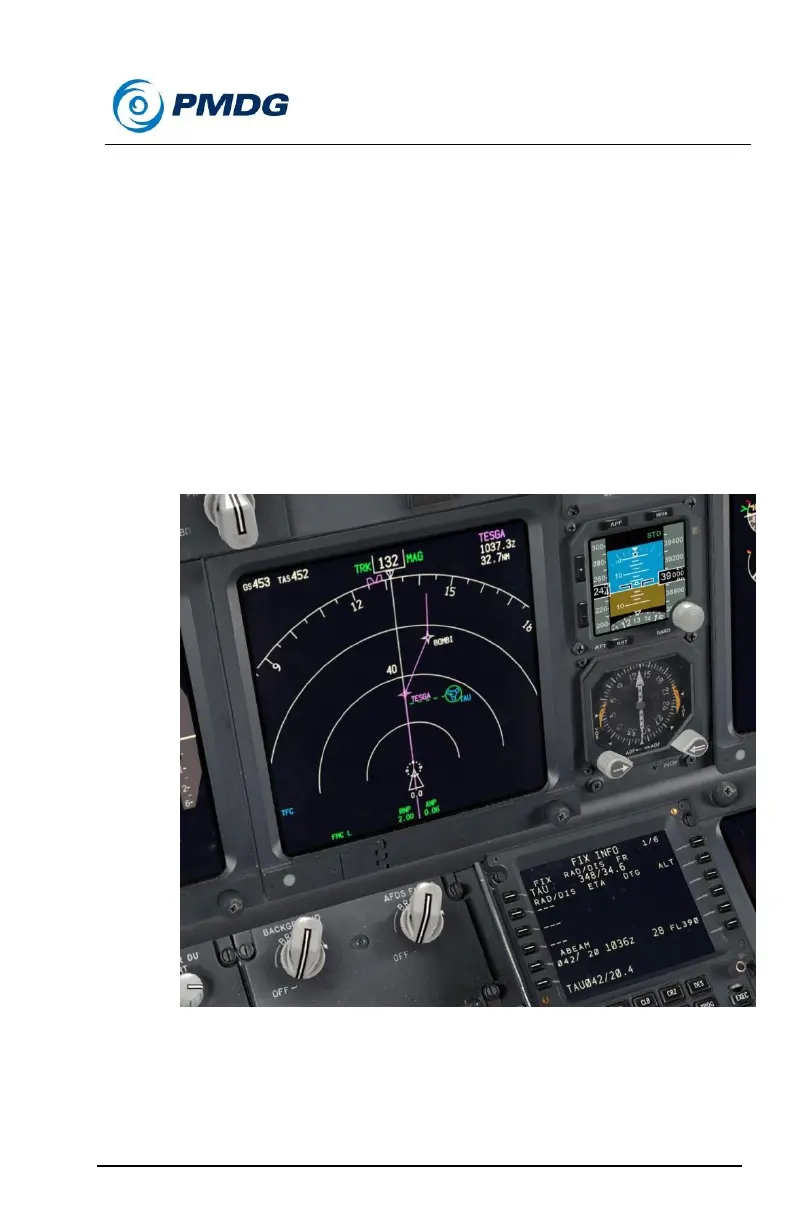
Notice we now have the radial and distance from the FIX to the
point where we’ll be directly abeam (perpendicular) to it on our
current route of flight. We also have the time we’ll arrive at the
point, the distance to go and the predicated altitude, just like the
radial and ring entries.
On the ND, we can now see a green dashed line drawn from the
FIX to our flightpath, showing us where the abeam point is.
Press LSK 5L.
This copies the abeam point in place bearing distance format to
the scratchpad. We could then insert it into the LEGS page to
make an actual flightplan waypoint out of it.



 To Next Page