0.00.112 PMDG 737NGX
TUTORIAL #2
27FEB15 RTM DO NOT DUPLICATE For Simulator Use Only
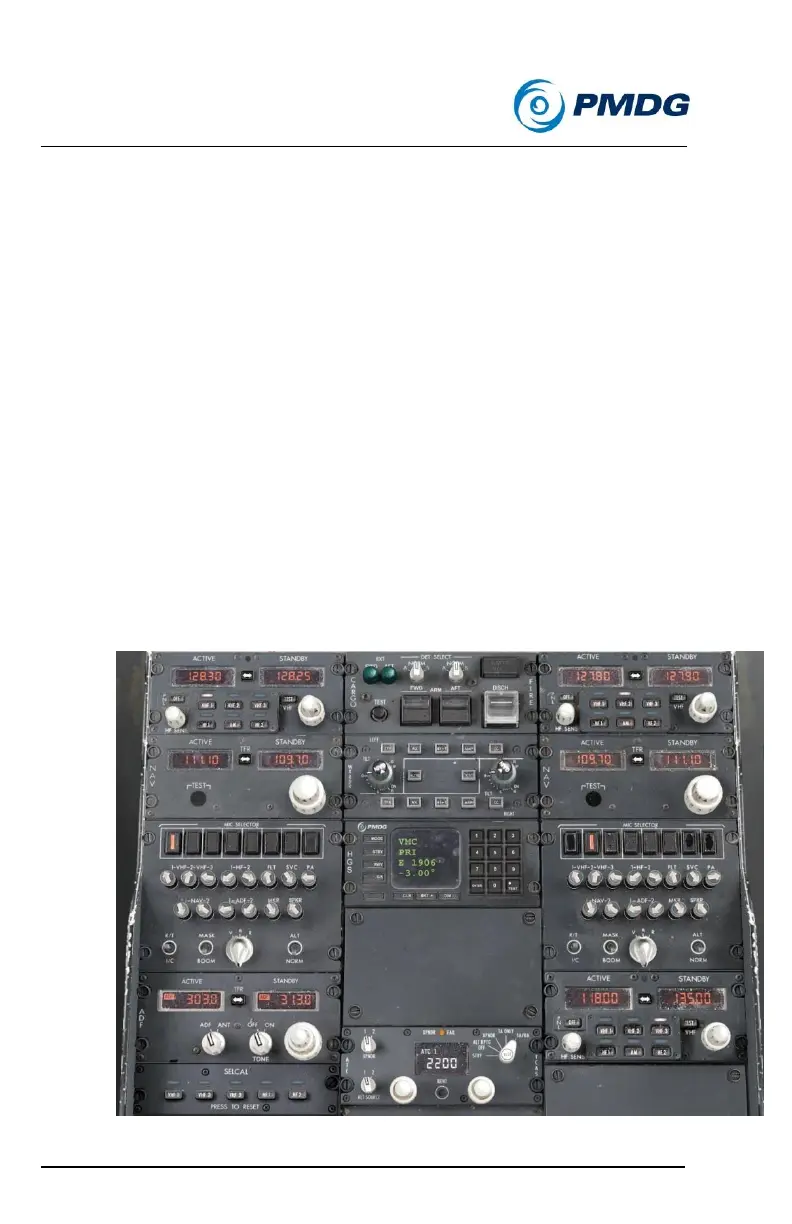
Tune NAV 2’s active field to the OEJ localizer frequency, 109.70.
Tune NAV 2’s standby field to the OEV localizer frequency,
111.10.
Tune the ADF’s active frequency to Rattenberg (RTT) NDB,
303.0.
Tune the ADF’s standby frequency to Absam (AB) NDB, 313.0.
While we’re here, set the HGS to VMC mode for use in the
approach by clicking the MODE button twice.
VMC mode eliminates all navigation data and FD guidance in
favor of a simplified interface designed for visual approaches.
Just for the sake of being thorough, set the elevation (1906) and
runway length (6562) into the HGS control panel as well.
The radio panel should now look like this:
Note – in real life where you have two crew members this radio



 To Next Page