0.00.26 PMDG 737NGX
TUTORIAL #2
27FEB15 RTM DO NOT DUPLICATE For Simulator Use Only
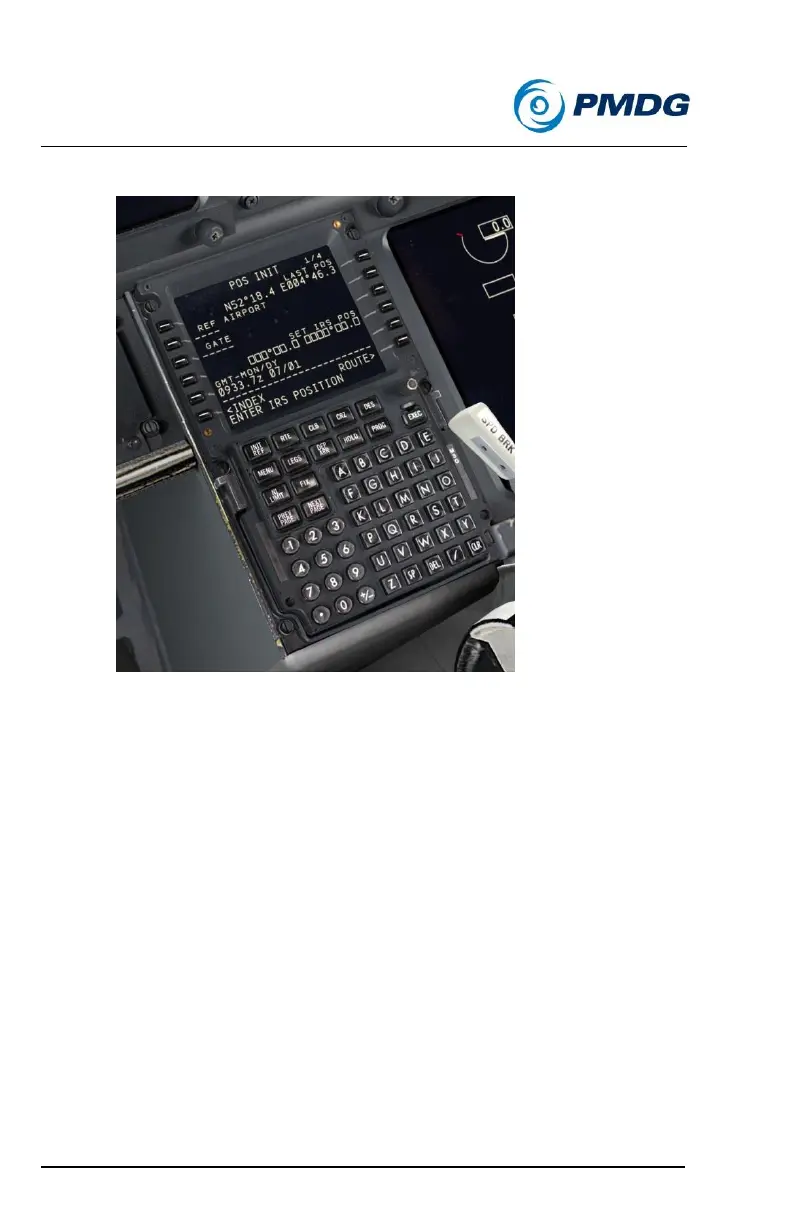
Press LSK 6R to go to the POS INIT page.
o Verify that the current date and time at LSK 5L are correct.
Note that the time is shown in Zulu (aka GMT).
Type EHAM into the scratchpad and line select it into LSK 2L.
This gives us the coordinates for the airport’s center at LSK 2R.
Notice the ENTER IRS POSITION message in the scratchpad. We now
need to give the IRSs our current position to align on. There are several
acceptable ways of doing this including using the airport’s center
coordinates from this page, the airplane’s current GPS coordinates and
getting the gate’s coordinates from the airport’s charts and typing them in
manually. In this instance we’ll use the GPS position as it’s more accurate
than using the center of the airport.



 To Next Page