PMDG 737NGX 0.00.27
TUTORIAL #2
For Simulator Use Only DO NOT DUPLICATE 27FEB15 RTM
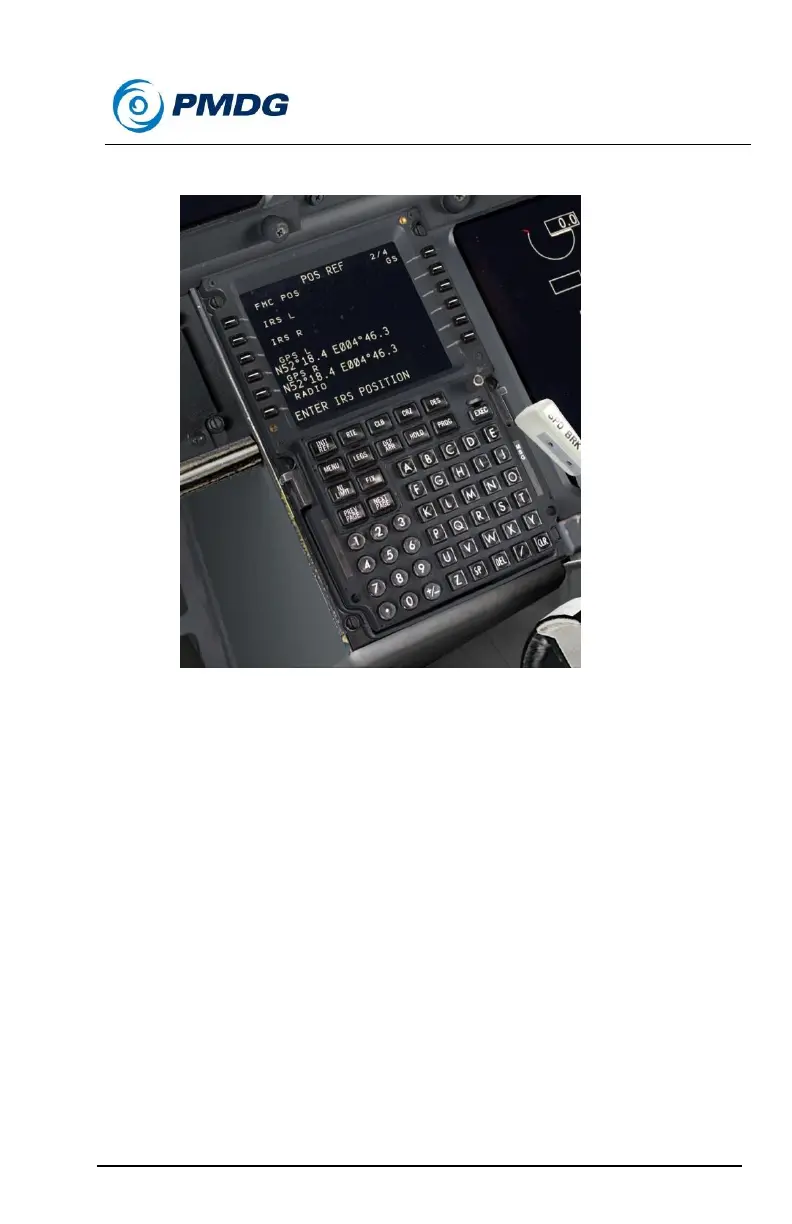
Press the NEXT PAGE button to go to the POS REF page.
o Verify that the GPS L and GPS R positions agree and then
press the left side LSK next to either one to copy the
coordinates into the scratchpad.
Press PREV PAGE to go back to the POS INIT page.
Line select the copied coordinates into LSK 4R.
You’ll now see the PFD and ND change to show the normal
aligned symbology.
Clear the DUAL FMC OP RESTORED message with the CLR
key. This message is a result of going from battery power to the
full ground power since only one FMC functions while on battery.
We’ll now move on to entering and initializing the lateral route.
Press LSK 6R to go to the RTE page.
EHAM is automatically in the scratchpad due to entering it on the
POS INIT page – line select it into the ORIGIN field at LSK 1L.



 To Next Page