0.00.52 PMDG 737NGX
TUTORIAL #2
27FEB15 RTM DO NOT DUPLICATE For Simulator Use Only
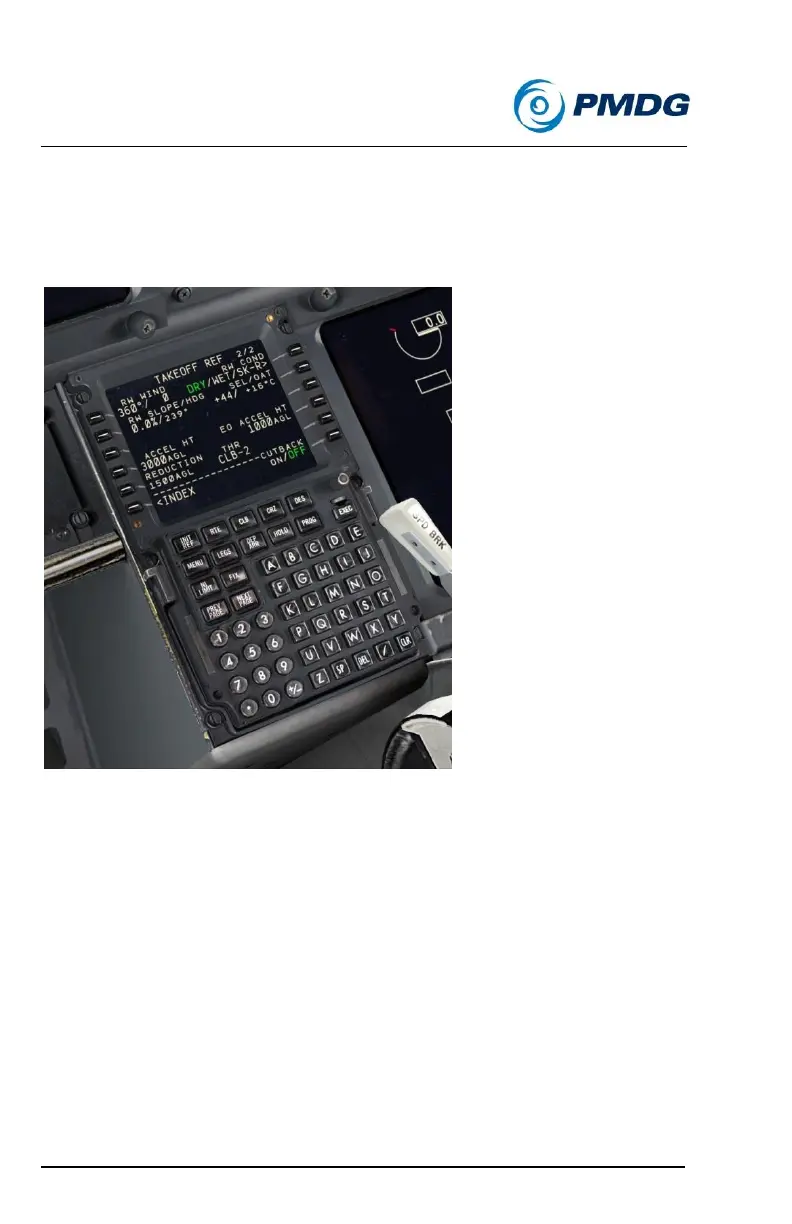
The other options on this page can be left at their defaults unless you’re
flying with weather, in which case you’d input the runway conditions and
wind. Yes, this actually does affect the calculations!
The page should now look like this:
Press PREV PAGE to go back to TAKEOFF REF page 1.
Enter 1 into the FLAPS field at LSK 1L.
Click LSK 3L twice to automatically insert the center of gravity
(CG) percentage and obtain our takeoff trim setting.
Click LSKs 1R, 2R, and 3R to transfer the V speeds to the PFD.
For me they were 144, 145 and 147.
Press the DES button, then LSK 6L to go to the DES
FORECASTS page.
Enter FL040 at LSK 1L – this is the EHAM transition level in case
of a return to the airport after takeoff.



 To Next Page