ETD1000 Instruction Manual - 2017-07-01.docx Page 25 of 28 July 1, 2017
4.0 Front Panel Operation – Operator Mode
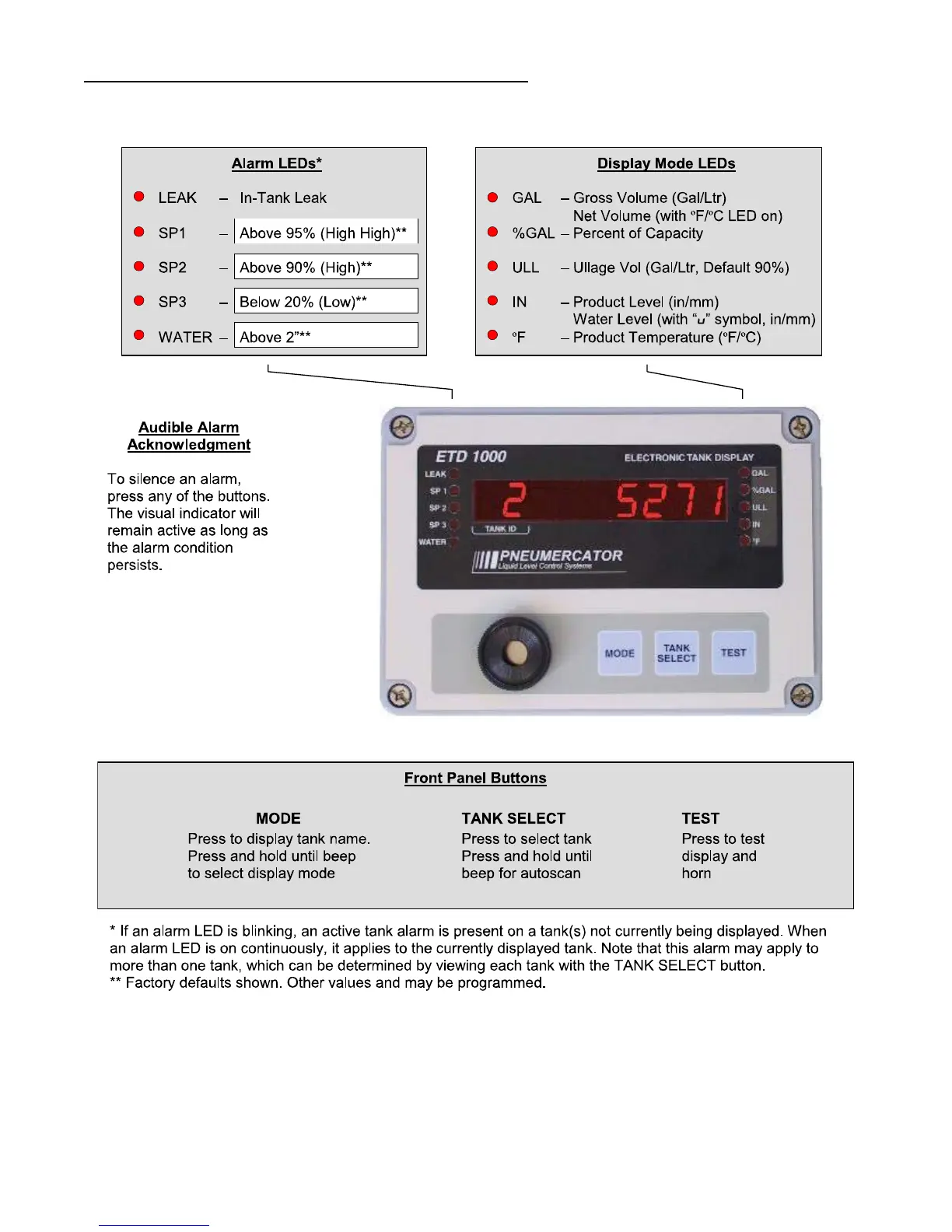
Alarm LEDs* Display Mode LEDs
LEAK – In-Tank Leak GAL – Gross Volume (Gal/Ltr)
Net Volume (with ºF/ºCLEDon)
SP1 – Above 95% (High High)** %GAL – Percent of Capacity
SP2 – Above 90% (High)** ULL – Ullage Vol (Gal/Ltr, Default 90%)
SP3 – Below 20% (Low)** IN – Product Level (in/mm)
Water Level (with “u” symbol, in/mm)
WATER – Above 2”** ºF – Product Temperature (ºF/ºC)
Front Panel Buttons
MODE TANK SELECT TEST
Press to display tank name. Press to select tank Press to test
Press and hold until beep Press and hold until display and
to select display mode beep for autoscan horn
* If an alarm LED is blinking, an active tank alarm is present on a tank(s) not currently being displayed. When
an alarm LED is on continuously, it applies to the currently displayed tank. Note that this alarm may apply to
more than one tank, which can be determined by viewing each tank with the TANK SELECT button.
** Factory defaults shown. Other values and may be programmed.
Audible Alarm
Acknowledgment
To silence an alarm,
press any of the buttons.
The visual indicator will
remain active as long as
the alarm condition
persists.


 To Next Page