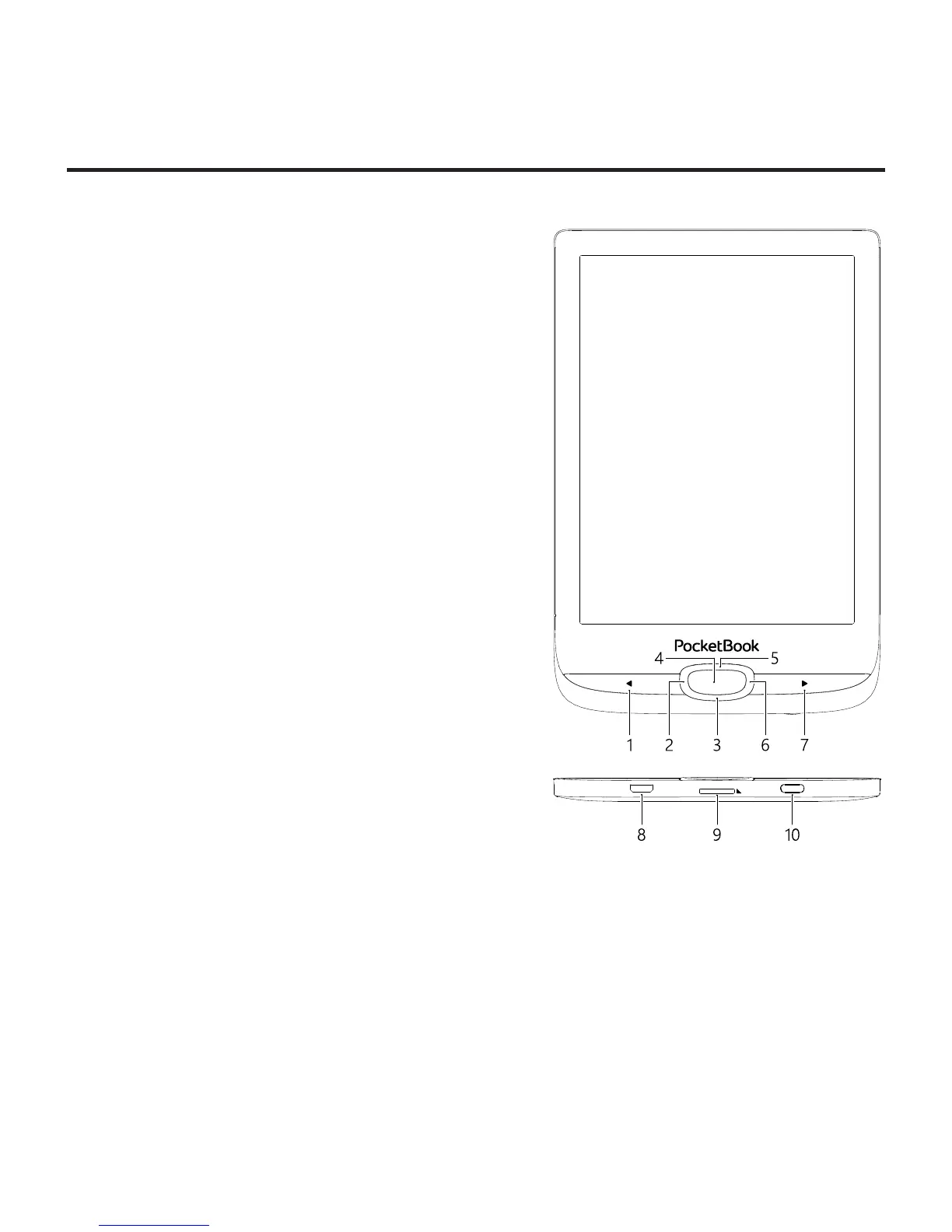
Appearance
1. Backward – in reading
mode turns page backward; in navi-
gation mode – goes to the previous
menu or page of the list;
2. Left;
3. Down;
4. OK – short press opens an
element (e.g. book or menu item),
continuous one – opens item’s con-
text menu (if available);
5. Up;
6. Right;
7. Forward – turns page
forward;
8. Micro-USB port – for con-
necting to computer or charger
(charger may be optional);
9. MicroSD card slot – for ex-
ternal memory card (Micro SD card may be optional);
10. On/Off (power) button – turns the Device on/off.
NOTE: You can configure key mapping to your own in Settings > Personal-
ize> Key mapping. Navigation and page turning buttons mapping depends
on screen orientation.














 To Next Page