Getting Started 16
WORKING WITH ON-SCREEN KEYBOARD
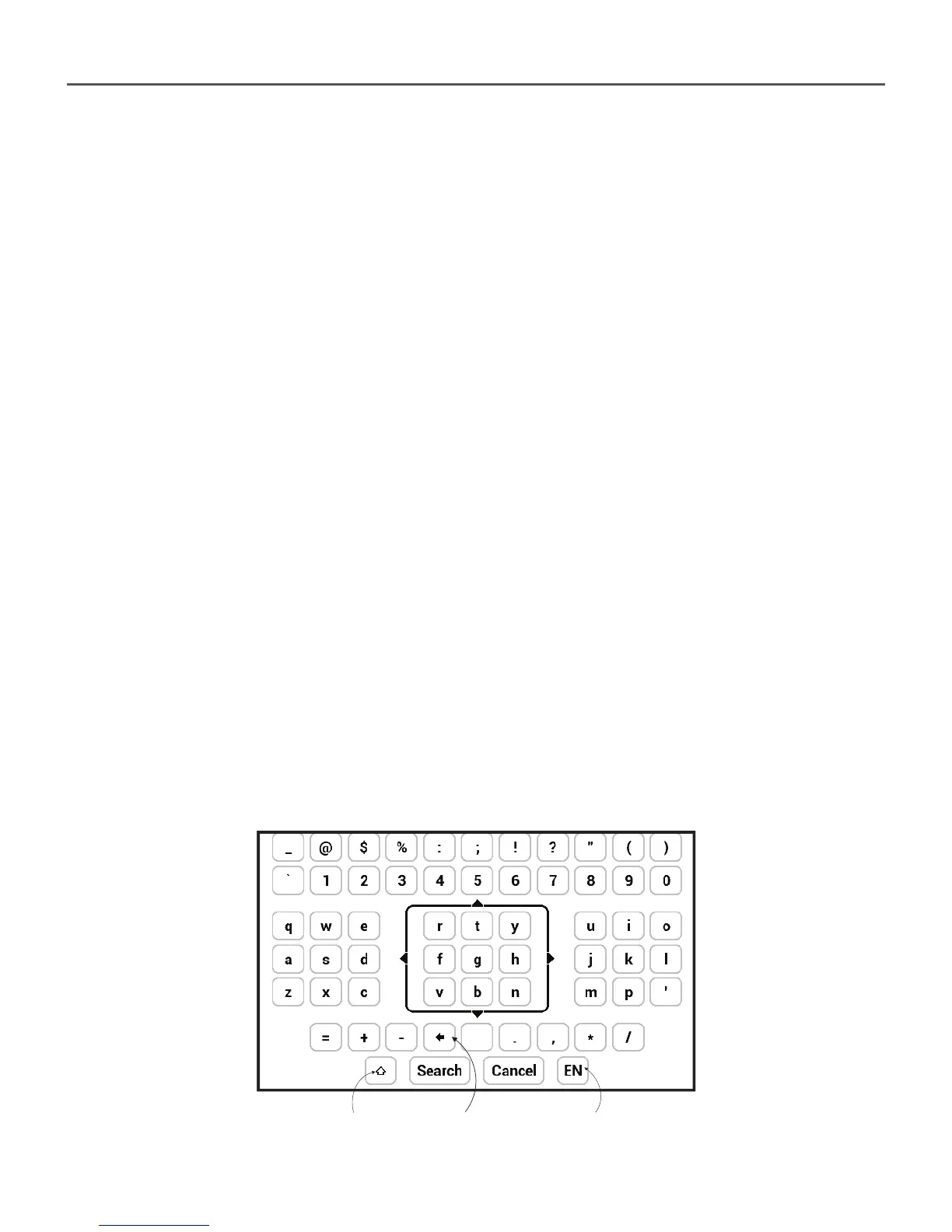
The on-screen keyboard appears when it is necessary to
enter some text info, for example, search query.
To navigate through the keyboard use the navigation keys
and OK button. To speed up keyboard operations all sym-
bols are divided into 5 zones. The fi rst navigation key press
transfers cursor to the middle of the selected zone, and
then you can select the required symbol in this zone. Press
OK button to type the selected symbol.
Also you can confi gure key mapping to your own in Set-
tings > Personalize > Key mapping section.
1 2 3














 To Next Page