Applications 33
NOTES
The Notes application shows a list of books that contain
notes as well as the notes themselves made in these books.
These can be selected text fragments, pencil notes, screens-
hots, translation notes made using a dictionary while rea-
ding as well as comments on these selected fragments. The
application can also be used to export or import notes.
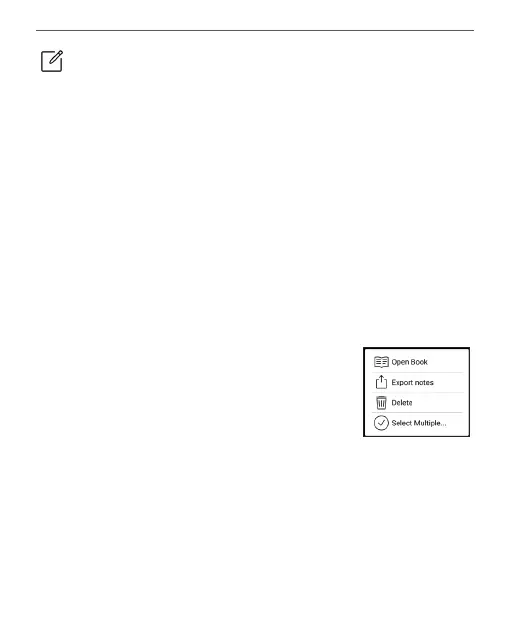
On the main screen of the application, tapping long on
a book with notes, a context menu will
open that allows you to open the book,
export or delete notes or select several
books with notes for further group ac-
tions on the notes of selected books.
The Notes Menu allows you to sort, export and change the
display of notes made in the book.















 To Next Page