Reading Books 64
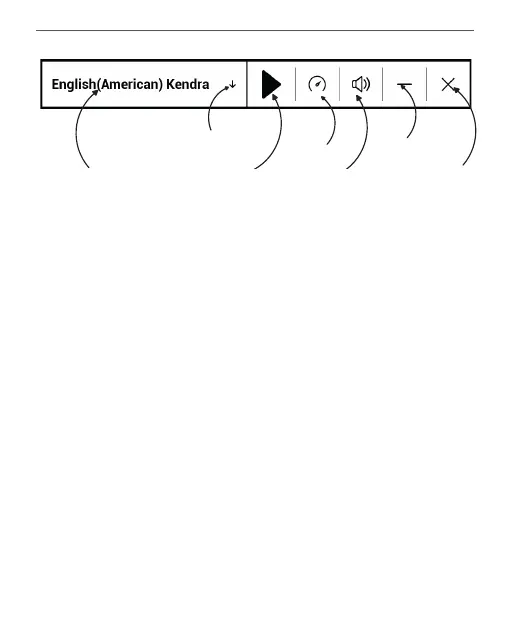
Exit
Select voice package
Play/Pause
Volume
Minimize
window
Speed
Add voice
To start TTS, open reading menu and select Voice. TTS con-
trol panel will appear:
Progress bar indicates a fragment read currently, pages are
turned automatically as you listen.
Initially there is 1 TTS packages is installed on the Device.
If you want to add a new TTS package, tap on Downlad
New Voices in the menu and choose the package you
want.















 To Next Page