Reading Books 66
EPUB, FB2, etc.
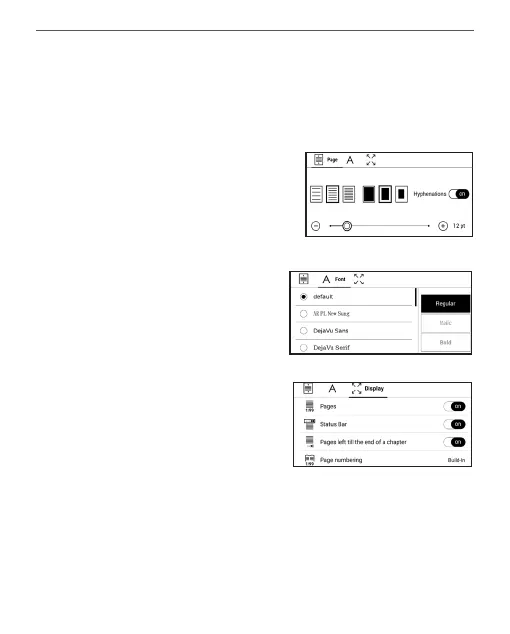
To configure EPUB, TXT, FB2, DOC and other text format
books, open the Reading menu and select Settings.
Page tab - you can choose line
spacing, font size, margins
width and also enable or disable
hyphenation.
Font tab - use this tab to select
font size and font style.
Screen tab - you can enable or
disable page numbering, the sta-
tus bar and set how the pages
are numbered.
Built-in page numbering displays the number of pages in
the book’s original layout. One page can cover one or sev-
eral screens, depending on reading settings.


 To Next Page
 Loading...











