Reading Books 78
List - in this mode next information is displayed:
• Folder or book icon;
• Book title and author name (if known);
• Read percentage and Read status.
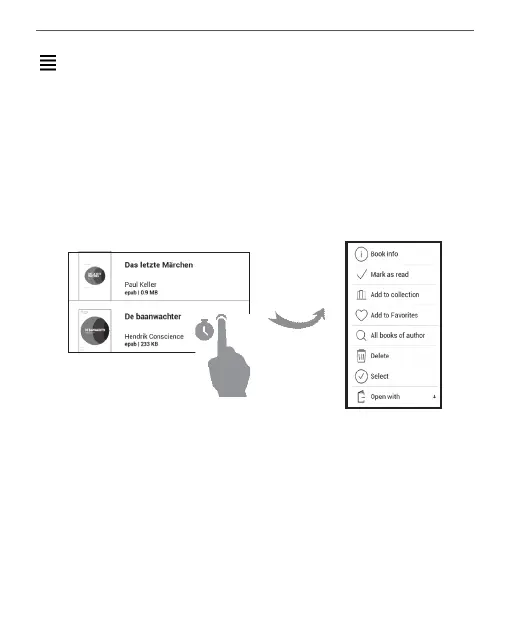
Context menu...
...opened by continuous touch...
...and allows proceeding with next file and folder operations:
• Book Info - brief information about book/folder;
• Mark as read;
• Add to Collection;
• Add to Favorites;


 To Next Page
 Loading...











