PM84 Android 13 User Manual
45
© 2023 Point Mobile Co., Ltd. All rights reserved
Camera
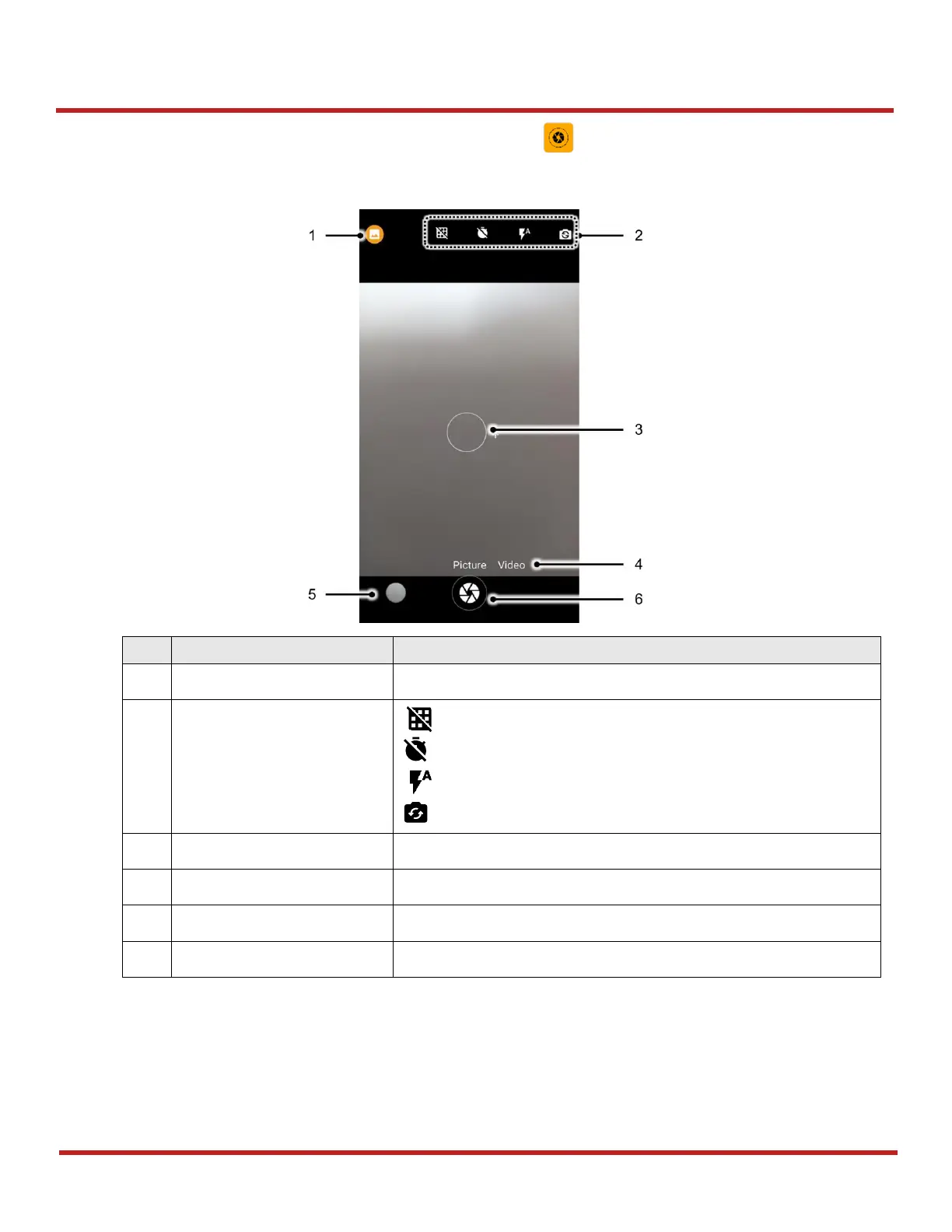
To use the camera, open App drawer and tap Camera application . Figure 52 is a main screen of Camera
application.
Select a mode depending on the target (normal / QR code)
: Display the grid on the screen
: Set timer
: Set flash mode (Activate / Deactivate / Auto mode)
: Switch the camera (Front / Rear)
You can change the focusing area by touching the other area
Swipe or tap to change the mode (Picture / Video)
Tap to see the recently taken pictures
Take a picture or recode a video
Figure 52 Camera main screen



 To Next Page