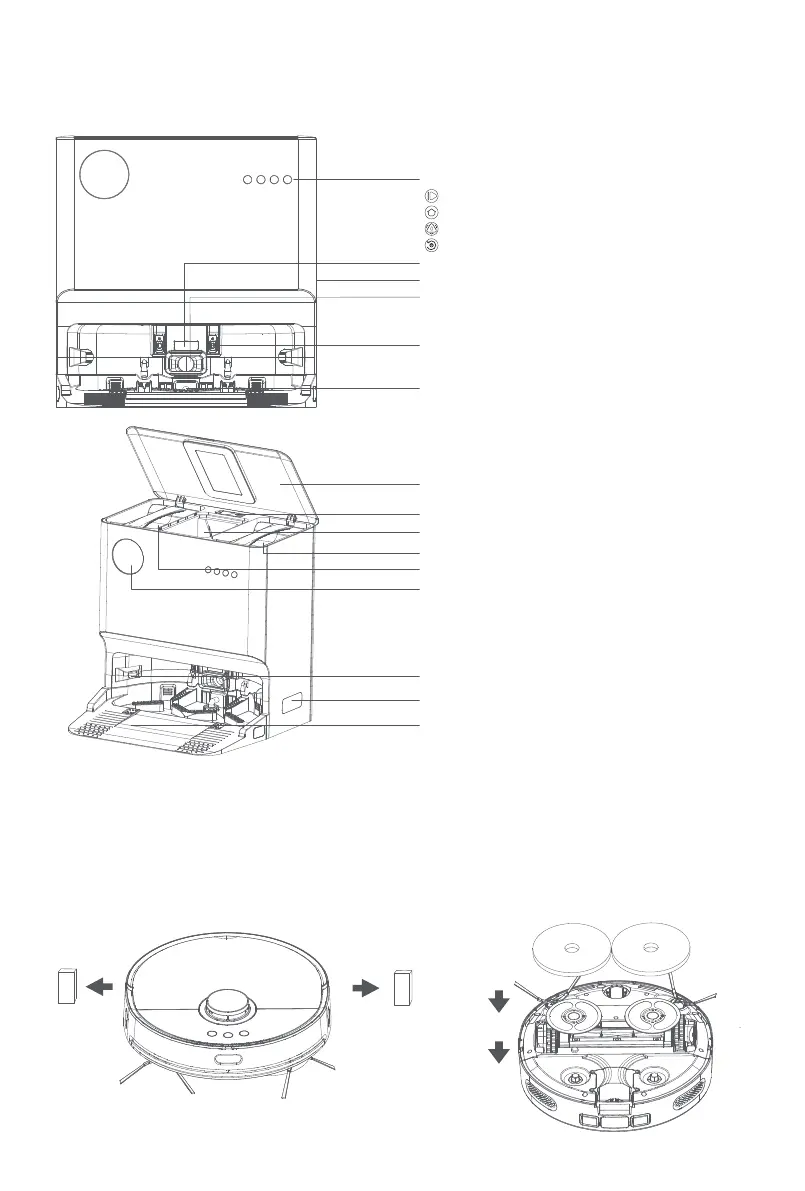
Function buttons
Start/Pause
Recall
Mop
Automatic dust collection
Infrared lens
Power interface
Dust collection port
Charging contact (×2)
Sewage outlet
Top cover
Cleaning brush
Dust bag
Clean water tank
Sewage tank
Display
Guide pulley (×2)
infrared lens (×2)
cleaning tray
CLEANING BASE STATION
PRODUCT OPERATION
Step 2: Paste the mop in the pasting
area of the mop holder and
mount the mop holder
Subassembly.
Step 1: Dismount the stopper
protective sponges on two
sides of the bumper; stopper
into the groove on the bottom.
8



 To Next Page