11
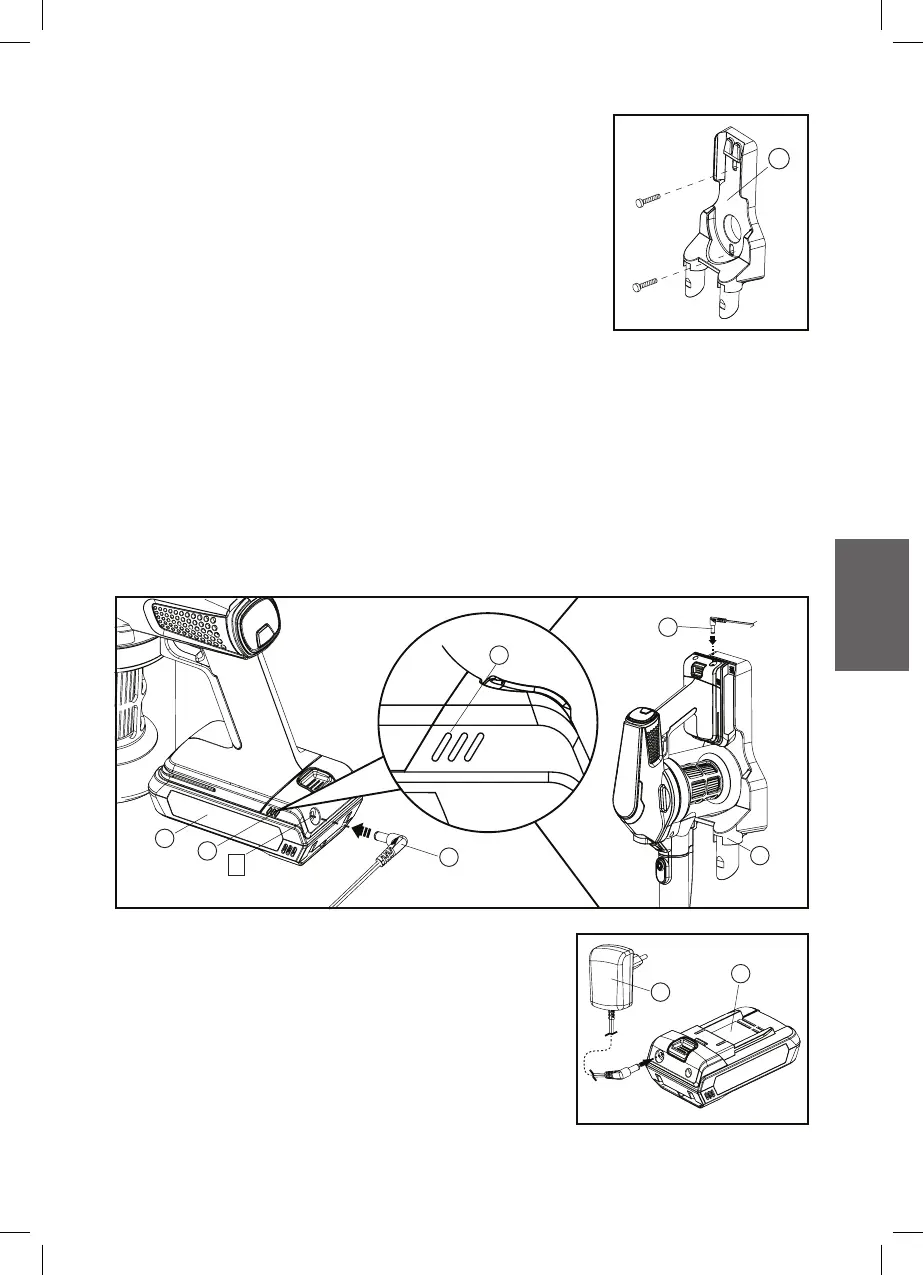
This docking station should be wall mounted.
Note: Care should be taken to ensure that there
are no dangerous objects hidden beneath the
wall surface (e.g. electrical wires, pipe, etc.)
1. Install the Docking station (V) to the wall
within reach of a mains power socket.
This vacuum cleaner is supplied in a low charge condition. It should be
charged for 6 hours prior to initial use.
Note: Recharge your vacuum cleaner after storing for a long time.
2. Use a 5mm drill for drilling holes for the plastic anchors.
3. Insert anchors and screw the charger base onto the wall.
INSTALLING DOCKING STATION
CHARGING THE BATTERY
J
1. Insert the plug into the Battery pack (J) of
Socket (a), you can place the vacuum cleaner
stand on a table or fix it on the wall mount
of Docking station (V) or charge the battery
independently.
O
O
O
J
K
K
a
V
V



 To Next Page