21
Note: Disconnect from the charger before removing the Dust
container. Do not use without filter. Filter and outer filter must not
be put into a dish-washer.
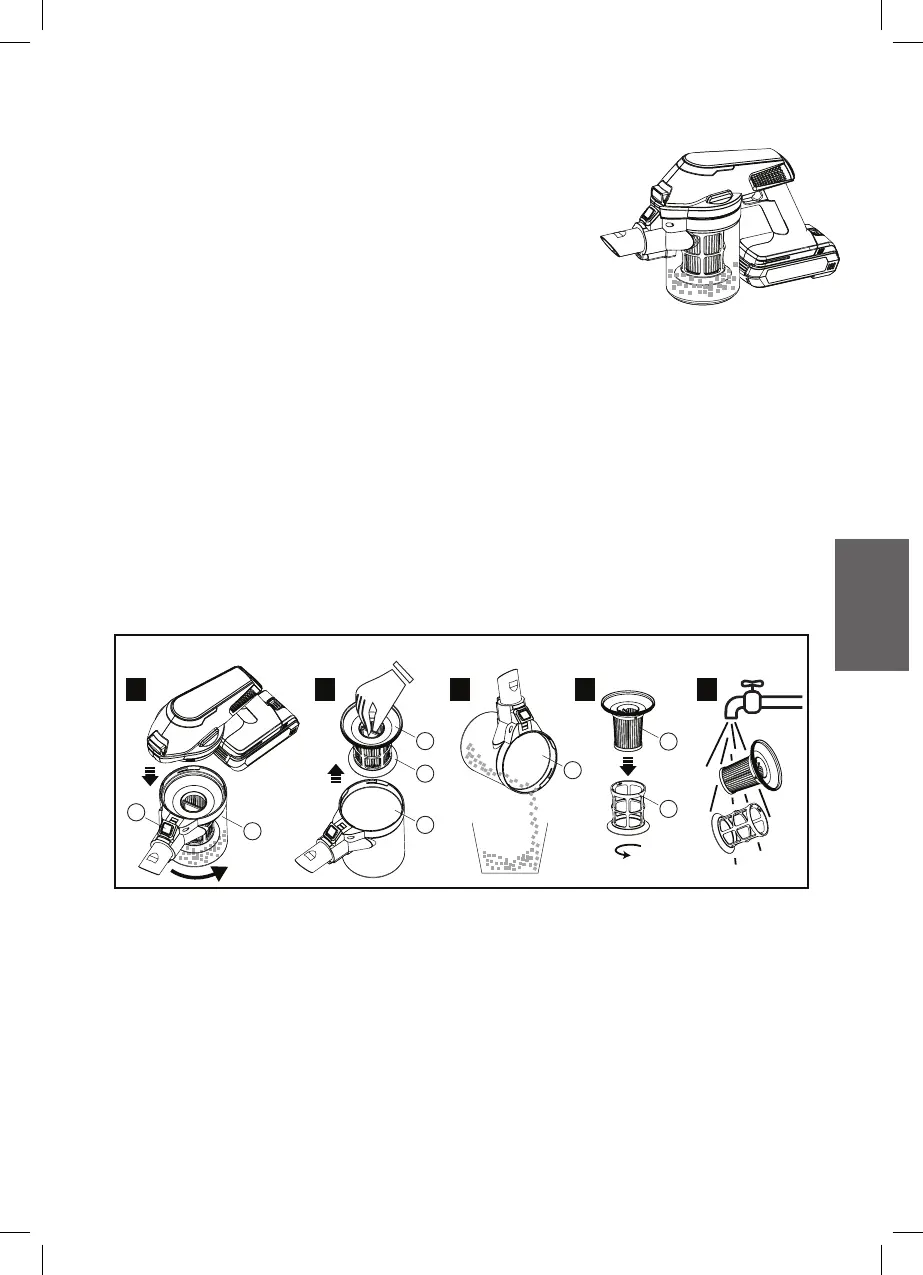
Clean the Dust container (D) after each use :
Dust contanier & Filter
1. Remove the Dust container (D) by pressing the
Dust container release button (C) then turning
anti-clockwise of the Dust container (D).
2. Pull up the Filter ( E & F ) from the Dust container (D).
3. Empty the Dust container (D) contents.
4. Remove the Inner filter (F) by turning it anti-clockwise.
5. Wash both Outer filter (E) and Inner filter (F) with tap water, let it
dry completely before reinserting into the handheld unit.
CLEANING AND MAINTENANCE
E
F
D
D
C
D
F
E
Steps of empty the Dust containier:
1 2 53 4



 To Next Page